
Auction House guide 02
Post a sell offer
List something from your inventory, set your price, and let the server sell it for you, even while you are offline.
-
Open POST on Sell Offer
Click the POST tab. It opens on SELL OFFER. The grid in the middle shows your inventory and belt, one tile per stack, and YOU SELL waits on the right.
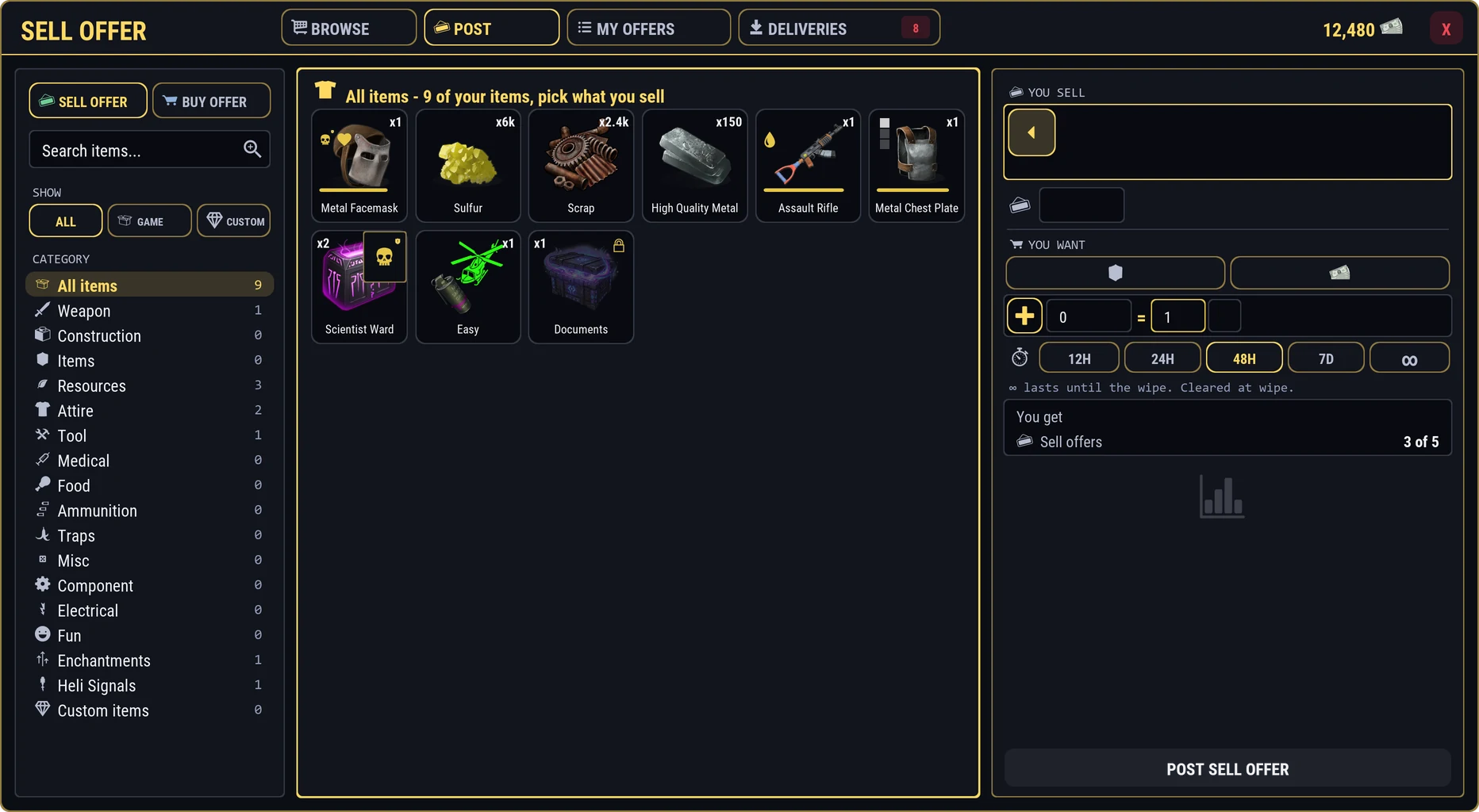
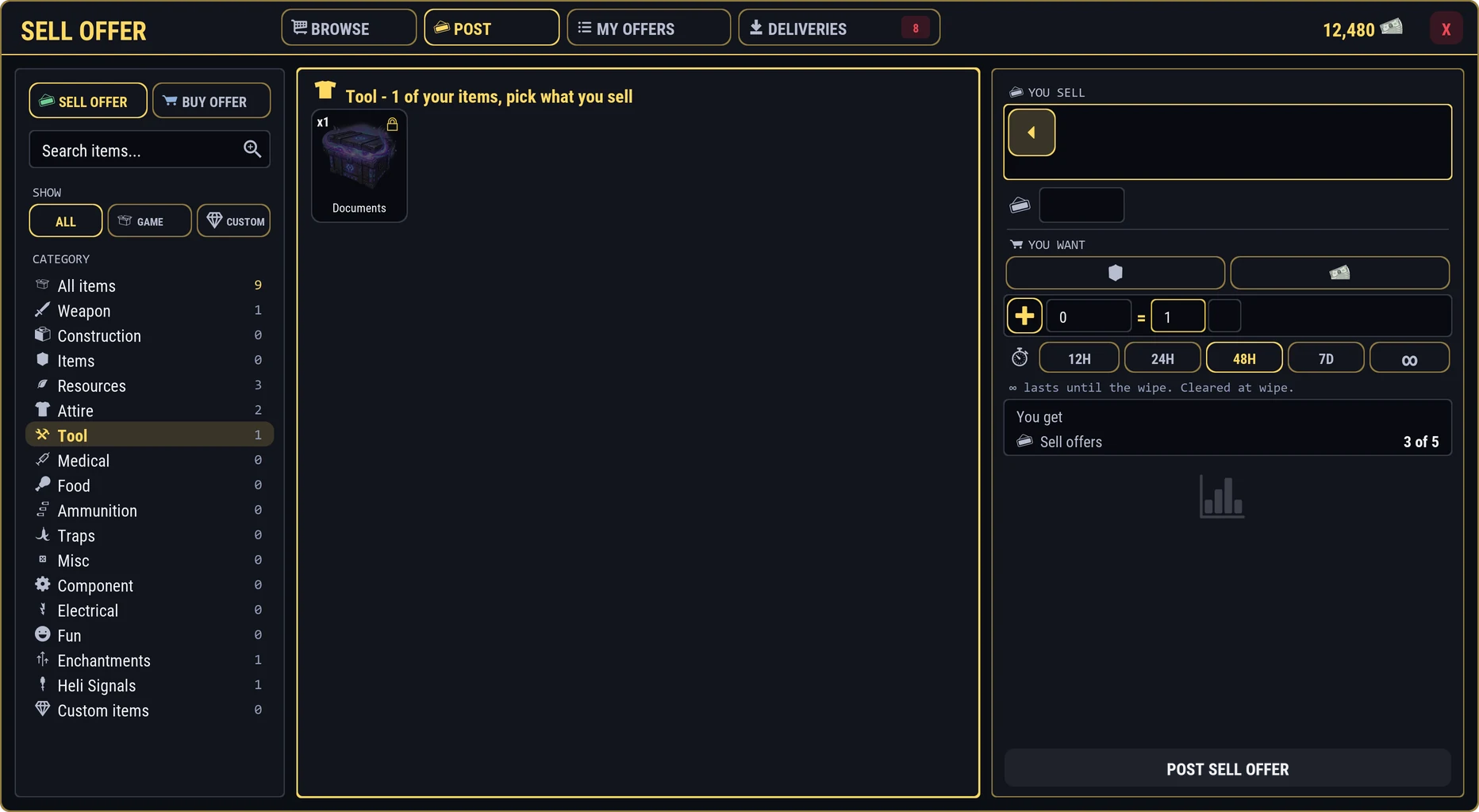
Some tiles are grayed with a lock. Those cannot be sold, such as the item in your hand or a legendary. Hover a lock to see why.
-
Pick the stack
Click a stack and it moves into YOU SELL. Nothing leaves your inventory yet. Use the search, SHOW, and the category list if your bag is busy.
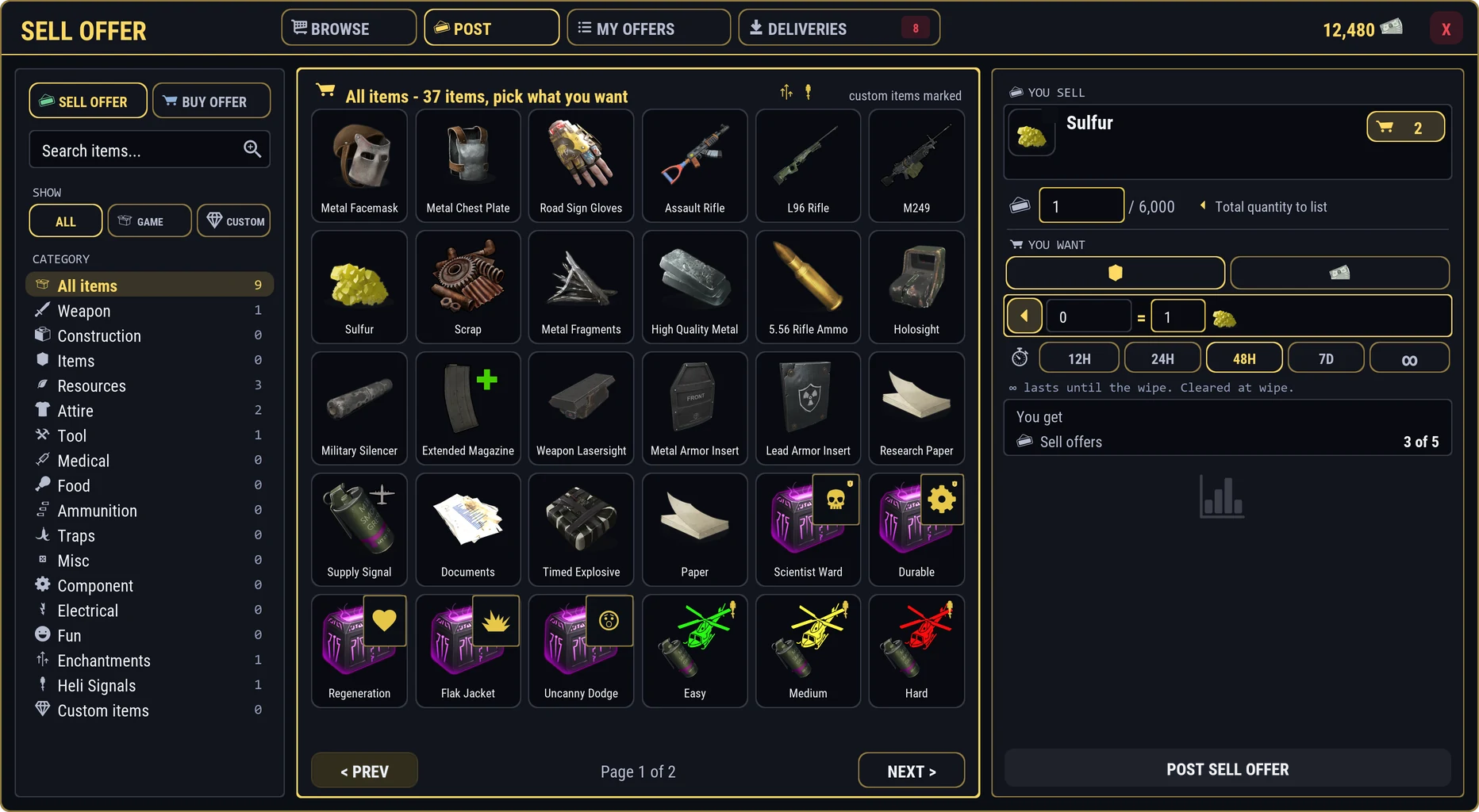
If a gold badge appears, buy offers already want this item. Click it to sell straight into one instead. - YOU SELL: the stack you picked
- Buy offers that already want it: click to sell straight in
- How many to list, out of the stack
-
Set the amount and the lot
Choose how many to sell, up to the stack, and the lot: you sell in lots of that size. The amount must split evenly into lots. Selling 100 Sulfur in lots of 10 lets a buyer take 10, 20, or all 100.
-
Name your price
Set the price for one lot in RP, or in an item: click the item price and pick it from the grid.
To be paid in enchanting kits without caring which ones, set the price to Any Enchantment: the buyer can pay with any kits they hold.
When the price is a weapon, armor, or tool, you can ask for a lowest Condition, and for armor a number of Armor Slots. Tick Blueprint if you want the blueprint instead of the item.
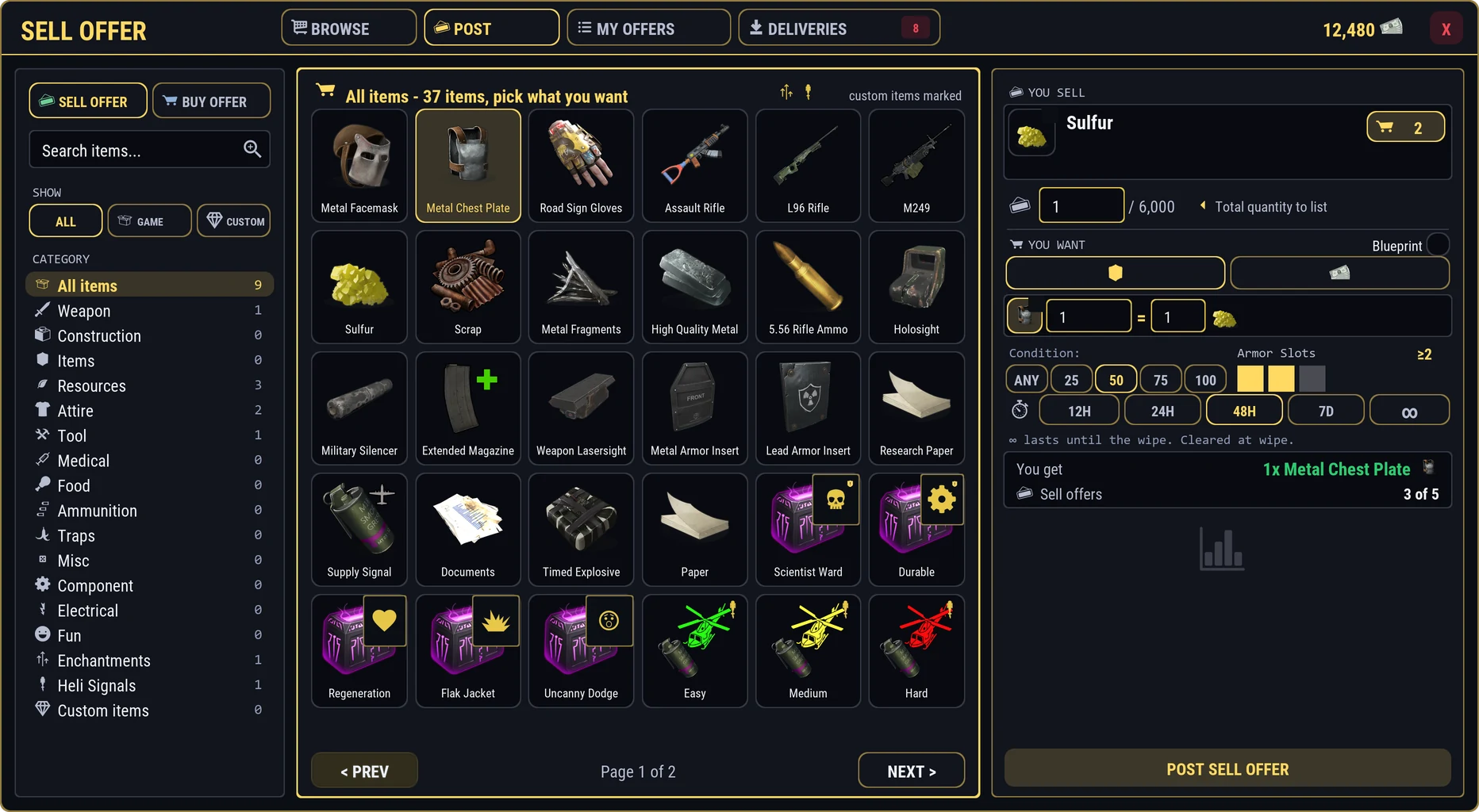
The price guide beside the price shows recent sales as bars with your price as a gold line, what it last sold for, how often it sells, and what is on the market now. Suggest fills in a fair price for you.
-
Choose how long it runs
Pick 12H, 24H, 48H, 7D or ∞, which runs until the wipe. 48 hours is picked for you.
-
Post it
Check the summary, then press POST SELL OFFER. Only the amount you chose leaves your stack, and the auction house holds it until it sells, ends, or you cancel.
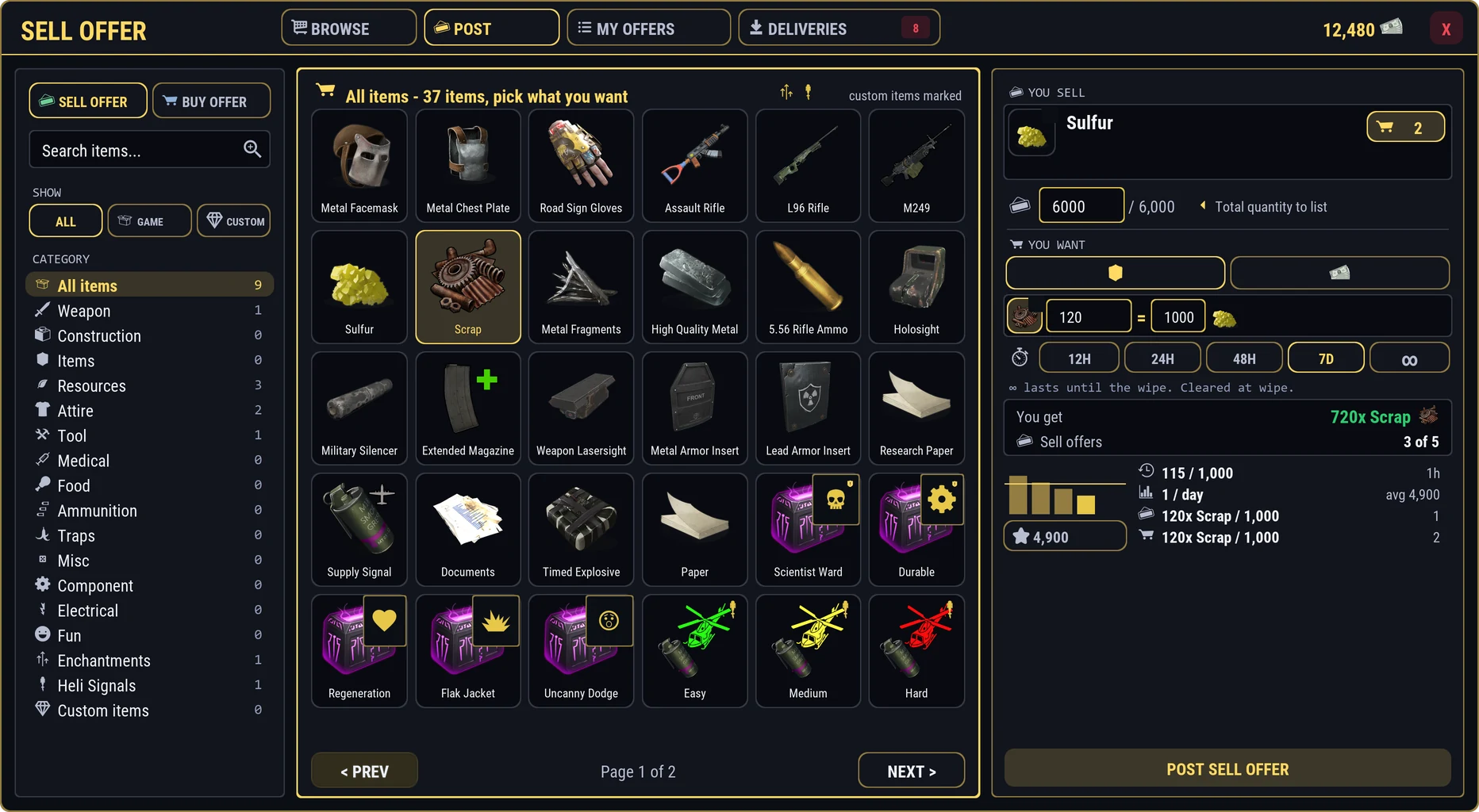
- YOU SELL: the stack you picked
- Buy offers that already want it: click to sell straight in
- How many to list, out of the stack
- YOU WANT: price in an item or in RP
- The price: this many of it for that many of yours
- How long it runs
- What you get, and how many offers you have up
- Price guide: recent sales, and a suggested price
- POST SELL OFFER
The whole page once everything is set:
Ready to go: what you sell, what you get, and for how long. Armor with inserts asks first: the inserts go with it. Press POST ANYWAY if that is fine.
Your limit of live offers shows on the page. How many you can have depends on your rank.