
Progression
Quests
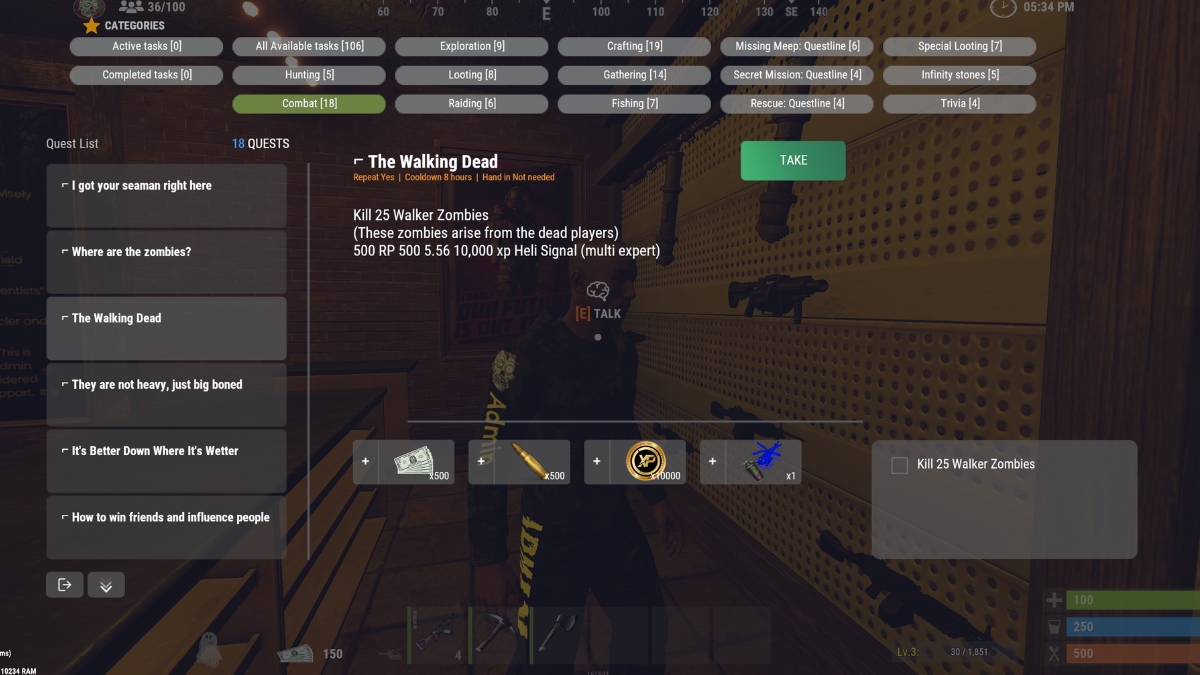
Objectives you pick up from the quest giver in Town. Talk to him to open the full quest UI, browse categories, accept tasks, and turn them in. One of the main ways players earn RP, XP, and Skill Points, along with items, legendary components, and other rewards.
Tracking Active Quests
Once you have quests accepted, you can open a compact progress list without going back to Town:
Quest Commands
Progress tracks automatically/qlistOpen your active quest progress list (also /quest or /q)
/qlisttoggleToggle that progress list open or closed (handy if you want to bind a key to it)
You can have multiple quests active at once. Objectives and rewards are shown in the quest UI before you accept. Progress tracks automatically as you complete objectives.
Quest Categories
Quests are grouped in the UI under these categories:
- Hunting
- Combat
- Exploration
- Looting
- Raiding
- Crafting
- Gathering
- Fishing
- Missing Meep (questline)
- Secret Mission (questline)
- Rescue (questline)
- Special Looting
- Infinity Stones
- Trivia
The UI also has filters for Available, Active, and Completed tasks.
Special Items
A few quests revolve around special items you will run into out in the world. Here is what they are for:
- Infinity Stones - the goal of some of our most lucrative quests, and also ingredients for certain legendary crafting recipes.
- Captain's Log - a quest objective; turn it in for the quest that calls for it.
- Bleach - a quest objective; the target item for one of our quests.
You must have the quest active before you obtain the item. If a quest tasks you with getting a special item (for example, loot one bleach from a container), you have to accept that quest first. An item you already picked up before starting the quest will not count toward completion.
Rewards
Quest rewards vary by task. Common reward types include:
- RP - usable in the store
- XP - toward your Skills level
- Skill Points (SP) - to spend in the skill tree
- Items - resources, equipment, and other gear
- Legendary components - for crafting legendary items
- Enchantment kits and scrolls - for the enchanting system
- Heli signals - for calling patrol helicopter fights
Exact rewards are shown in the quest UI before you accept.
Wipe Behavior
Quest progress resets on wipe. Any quests that were in progress when the wipe happened will need to be started fresh.
Questions? Ask in Discord.