
Quality of Life
Backpacks
Every player carries a backpack on top of Rust's normal inventory: protected storage that stays with you through PvE deaths, learns to pack itself, and hands you items on a hotkey mid-fight.
How It Works
All players start with one backpack in addition to the normal inventory built into Rust. Outside of PVP situations, backpack contents stay with you on death. Additional backpack slots are available via skills, and backpacks have the very useful yet underappreciated ability to let you bind keys that fetch specific items in specific quantities straight from your backpack to your hotbar.
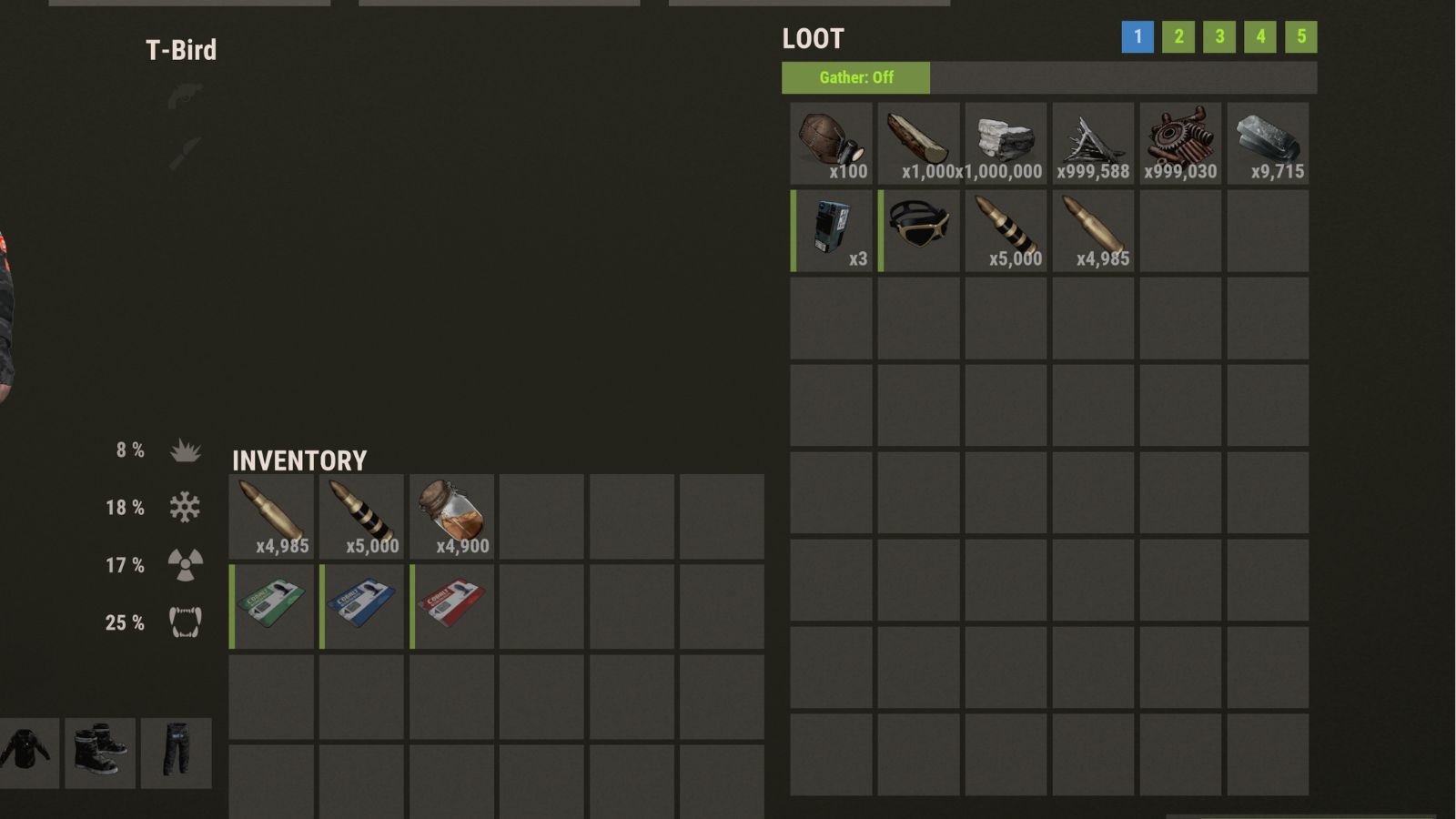
Gather Modes
At VIP or higher (VIP unlocks at about 20 hours of playtime), your backpack can automatically pull items from your inventory. Open the backpack UI and use the Gather button to cycle modes for the current page, or set a mode with the console command below.
- Gather: All - Moves eligible items into your backpack. Matching stacks are filled first, then leftover items can take empty slots (including item types you did not already have stored there).
- Gather: Existing - Only moves items that already have a matching stack on that backpack page. Handy for topping off wood, stone, scrap, and similar without vacuuming everything else into storage.
- Gather: Off - Turns automatic gathering off for that page.
Commands
Chat Commands
Type in chatConsole Commands
Press F1 for the consoleKeybind Samples
In game press F1 to open your console. You can copy and paste the keybinds below into that console or type your own. Use any key in place of the [b] and [f] keys in the examples.
Binds opening and cycling your backpack to [b] on your keyboard. backpack.open works the same way.
Brings two C4 from your backpack to your hotbar each time you press [f]. Set as many fetch binds as you like, one per item.
Backpack size upgrades come from the skill tree. Questions? Ask in Discord.