
Social
Clans
Group up, share a private chat channel, and wear an in-game tag in front of your name. Clans are a social tool: there are no clan-only PVP zones or special mechanics beyond the shared tag and chat.
Creating A Clan
To start a clan, run /clan create tag. The tag is a short identifier shown in front of your name in chat. Once the clan is created, use /clan invite name to bring in other players. Invited players receive a prompt they can accept or ignore. /clanhelp shows the full details in-game.
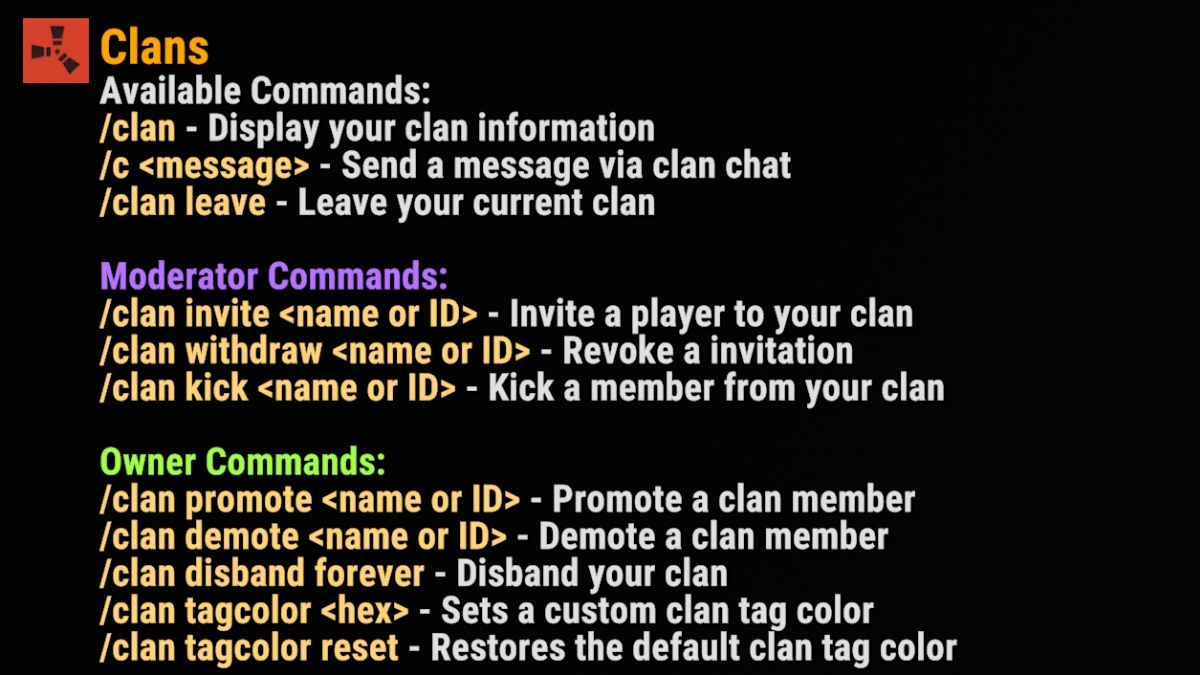
Inactive clans are automatically purged after multiple wipes of inactivity.
Chat Commands
Everyone
Any clan member can use these/clanClan overview
/clan create tagCreate a new clan with the given tag
/clanhelpShows the commands and information on using those commands
/c messageClan chat
/cinfoInformation about other clans
/clan leaveLeave the clan you are currently in
Clan Owner Commands
Owner Only
The owner runs the roster/clan invite nameInvite a player to your clan
/clan withdraw nameRevoke the clan invitation
/clan kick nameKick a player from your clan
/clan promote namePromote a clan member to clan moderator
/clan demote nameDemote a clan moderator to clan member
/clan disband foreverCompletely disband your clan
/clan tagcolor hexSet a custom clan tag color
/clan tagcolor resetRestore the default clan tag color
Clan Moderator Commands
Moderators
A subset of the owner tools/clan invite nameInvite a player to your clan
/clan withdraw nameRevoke the clan invitation
/clan kick nameKick a player from your clan
Clan and team members also share licensed vehicles; see Vehicles. Questions? Ask in Discord.