
Quality of Life
Sign Artist
Players usually just say /sil. Put custom images on signs and picture frames three ways: an image URL, typed text, or an item icon. Look at the sign you want to edit, then run the command.
Restrictions
Access is limited to VIP or higher (VIP unlocks at about 20 hours of playtime). That stops brand-new throwaway accounts from carpeting a neighborhood with images before they stick around.
There are also per-player and per-area caps on how many Sign Artist images can exist. Even if you personally still have room, a nearby base that is already loaded with images can block more placements in that spot. The game will tell you when you hit either limit. Related deployable guidance is also listed on the Deployables page.
The two files below show the impact. Left: a Nightmare raid base with very few pictures. Right: a tiny Easy raid base packed with Sign Artist images. Easy bases are tiny and have few deployables, yet the file size difference is huge.
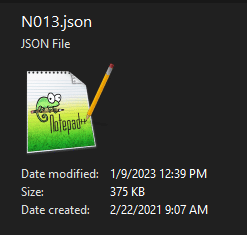
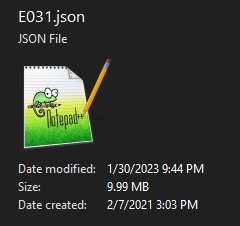
Image URL
From A Link
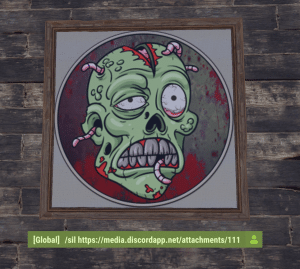
.png and .jpg links work bestUse a direct image link from an image host that allows hotlinking. Paste the URL in-game with /sil (Ctrl-V).
Text
Typed Text
Size and colors are optionalFont size, font color, and background color are optional. Colors are hex values without the #. Sites like htmlcolorcodes.com make picking those easy.
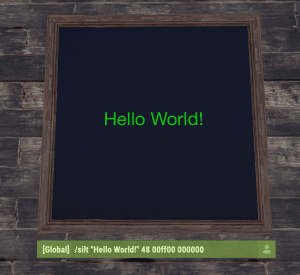
Example: /silt "Hello World!" 48 00ff00 000000 renders font size 48, lime green text, black background.
Icon
Held Item
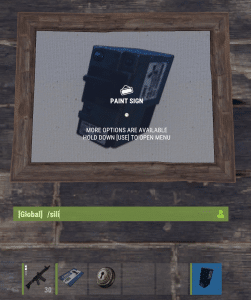
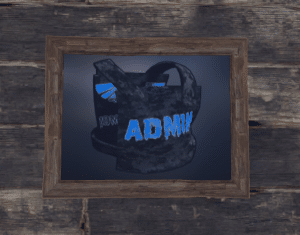
The last letter is an i (eye)Hold any item in your hand (or put a non-wieldable item on the hotbar and scroll to it), look at the sign, and run the command. It pastes a picture of that item onto the sign. Skinned items work too.
Restoring A Sign
Undo
Fat-fingered a URL? No problemCommand Quick Reference
All Four
Look at the sign firstKeep it tasteful; the Explicit Content policy applies to sign images too. Questions? Ask in Discord.