
Quality of Life
Skins
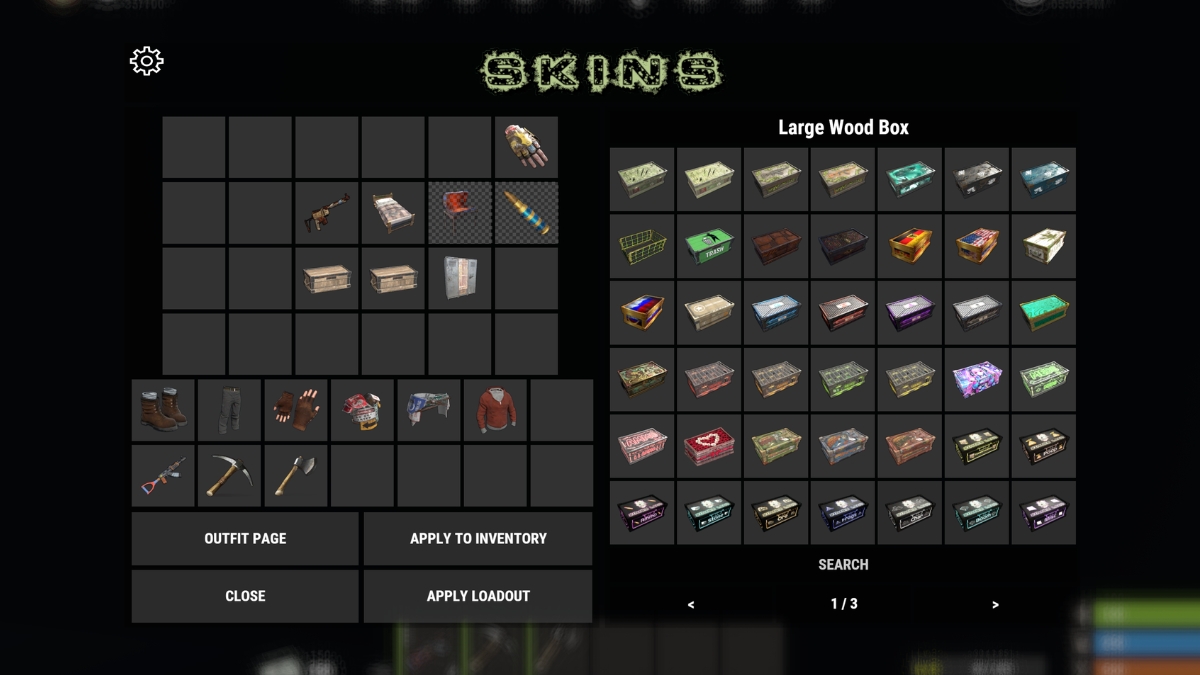
Apply workshop skins to virtually anything: weapons, clothing, doors, deployables, even items inside your backpack. Skin individual items, entire stacks, your whole inventory, containers you are looking at, or every deployed item in your base, all with a single command.
Features
- Skin individual items, full stacks, or your entire inventory at once
- Skin items inside containers you are looking at
- Skin all deployed items in your base with one command
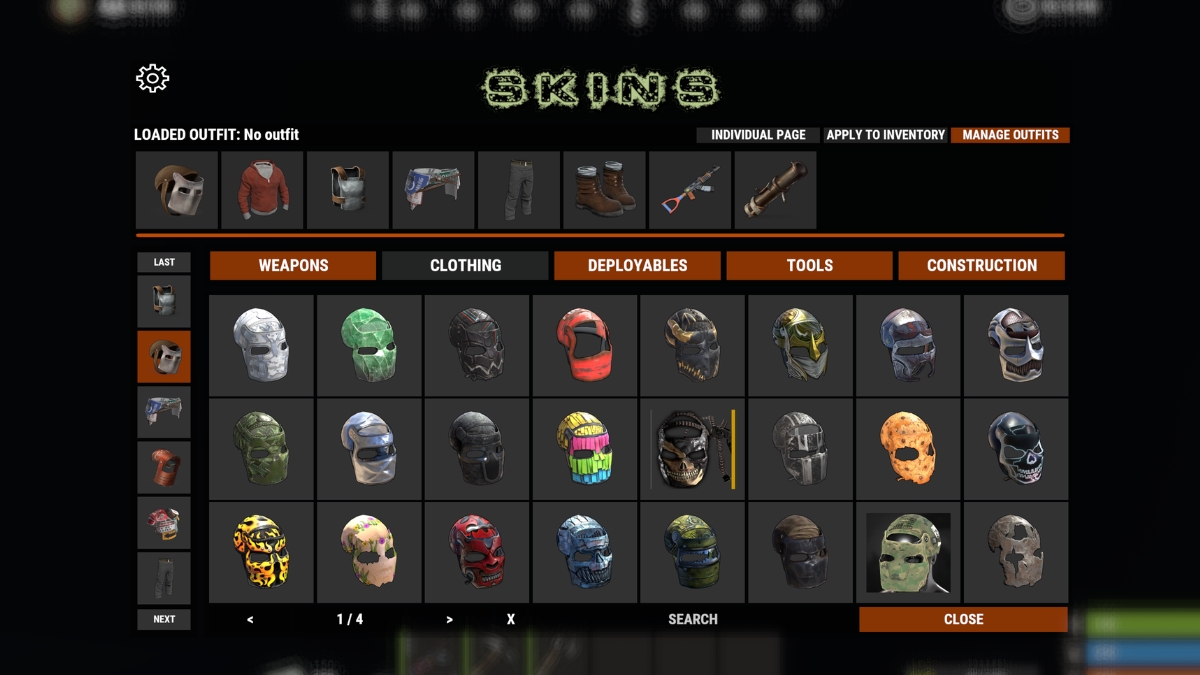
- Save and load outfits: a preset list of skins for doors, weapons, clothing, and more
- Add as many items as you want to an outfit
- Search the skin list to quickly find what you are looking for
- Auto-skin items when crafted or picked up (toggleable per player)
- Supports backpack items
Chat Commands
Skin Commands
One command per scopeOutfits
Outfits let you save a collection of skins as a reusable preset. For example you could create an outfit called "PVP Kit" with your preferred skins for your armor, weapons, and doors, then apply them all in one click whenever you want. You can add any number of items to a single outfit and save as many outfits as your rank allows.
- Create and name outfits from within the /skin menu
- Add skins for any skinnable item type: weapons, tools, clothing, doors, deployables, and more
- Load an outfit to instantly apply all of its skins to matching items in your inventory
- Higher ranks may have access to additional outfit save slots
Auto-Skinning
When enabled on the server, items you craft or pick up are automatically skinned with whatever skin you last selected for that item type. If you prefer to keep the default look on some items, you can toggle auto-skinning on or off for yourself at any time through the skin menu.
Tips
- Use the search bar inside the skin menu to filter skins by name, especially handy for items with dozens of workshop options.
- Running /skinbase is the fastest way to give your entire base a uniform look after a building session.
- /skinc is great for quickly reskinning all the items inside a box or furnace without pulling them out.
Questions? Ask in Discord.