
Quality of Life
Teleporting
Most movement shortcuts on Zombie Land come in four flavors: player teleport requests, homes, warps, and corpse teleporting after you die. Limits, cooldowns, and countdowns all scale with your rank.

Player Teleport
/tp opens the teleport GUI so you can pick someone to request a teleport to or from. The chat commands below work too.
Chat Commands
Requests time out if they sit too longHomes
Homes are saved spots on building pieces (foundations and floors). You need at least 20 m between home locations, and invalid spots (for example clipping into geometry) may be rejected.
Home Commands
Same restriction list as player TP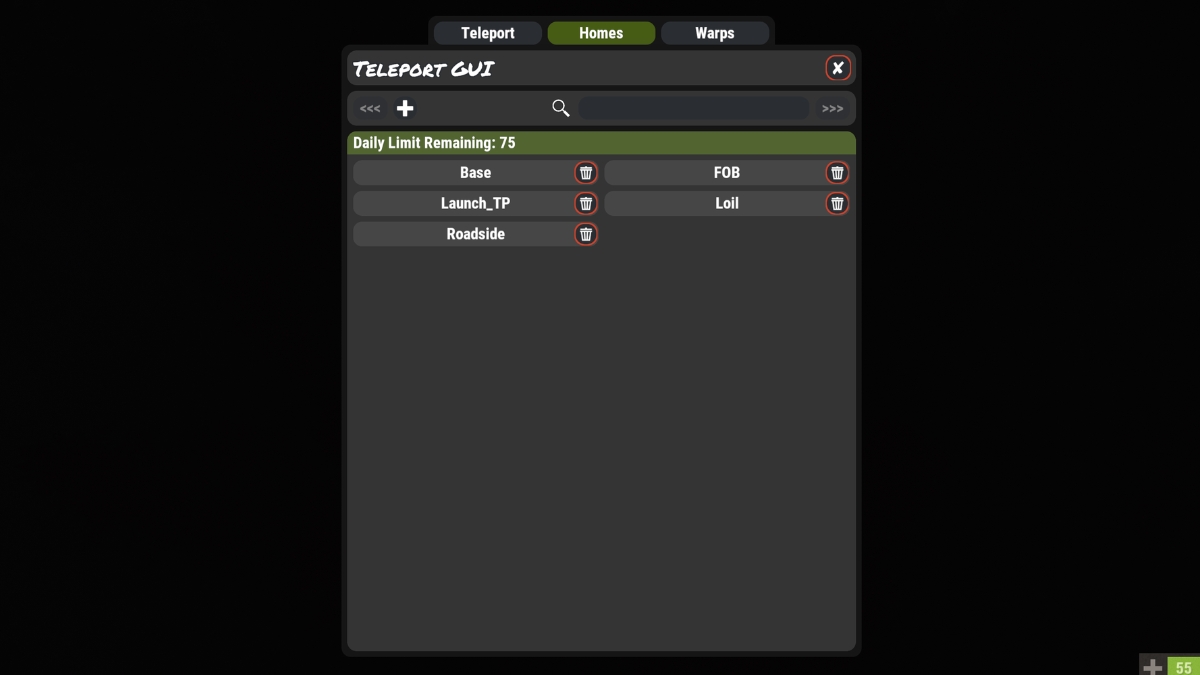
Warps
Warps are fixed server locations: outpost, bandit, custom points, and more.
Warp Commands
The GUI hides points you cannot useCorpse Teleport
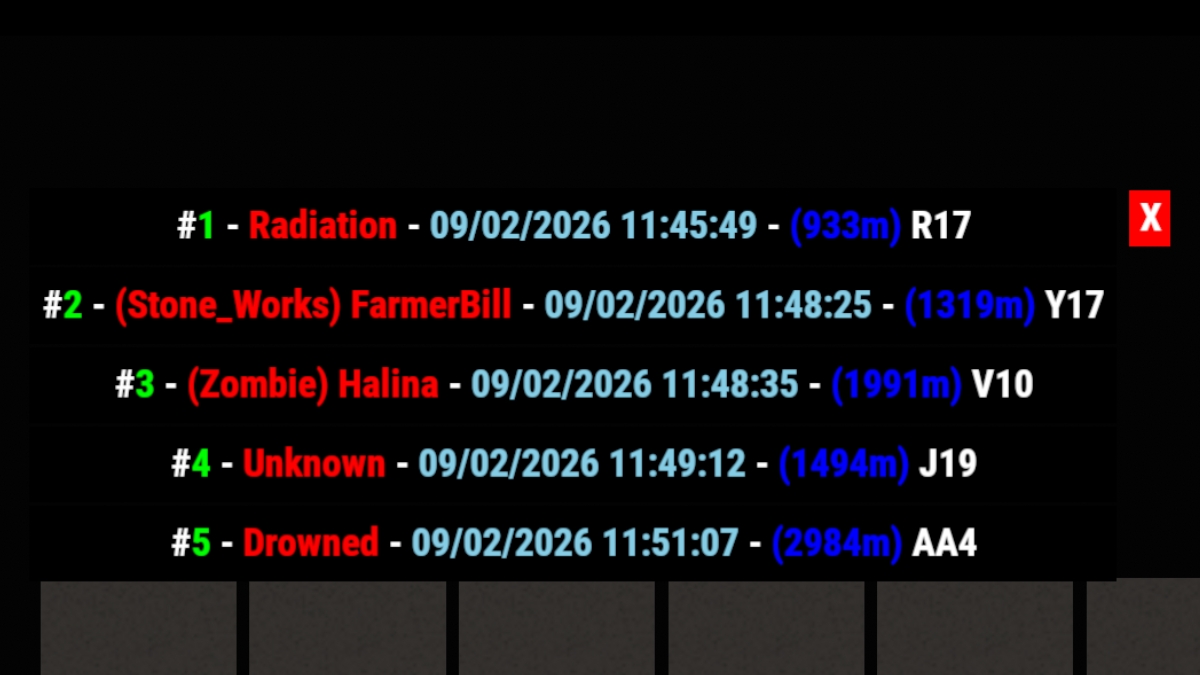
/tpcorpse lists your recent deaths (with a short on-screen UI when enabled). Pick an entry to teleport to that corpse after a countdown. Taking damage (cold, hunger, wet, and thirst count) during the countdown interrupts the teleport. PvP death locations are remembered for a short window so the list stays relevant.
This command is rank-gated: New and Regular do not have access to Corpse Teleport; it starts at VIP / VIP Gold and scales up on higher ranks (see the table below).
There is also a fetch mode: after a countdown, your loot is pulled to you instead of you moving, via /tpcorpse fetch n. Fetch is not unlocked by rank alone; the only way to get it is the skills tree (/st), through Door Dash in the Vehicles section (the corpse-fetch skill). Corpse Recovery in Medical is the other corpse-related skill on the tree. Fetch uses its own daily and cooldown tracking, separate from teleport-to-body.
Rank Cheat Sheet
Teleport limits only; full perks live on each rank page. Gold ranks match their playtime twin. Daily counts and cooldowns are tracked separately per system.
| Rank | Max homes | /home per day | /tp per day | /warp per day | Countdown | /tpcorpse per day |
|---|---|---|---|---|---|---|
| New / Regular | 2 | 5 | 6 | 15 | 15 sec (30 sec for warps) | Not available |
| VIP / VIP Gold | 3 | 15 | 15 | 30 | 5 sec | 3 |
| Veteran / Veteran Gold | 5 | 40 | 100 | 100 | None | 15 |
| Champion / Champion Gold | 8 | 75 | 250 | 250 | None | 15 |
| Top Voter / Top Donator / Wraith | 10 | 100 | 999 | 999 | None | 20 |
Tips & Tricks
At higher ranks your /home and /warp teleports run with no countdown. That makes panic buttons very strong: one keypress can move you before a zombie closes the distance, or before you take another tick of damage. You still need to respect the usual rules (not mounted, not bleeding, not in a blocked zone), but when you can teleport, a bind removes fumbling for chat.
Open the F1 console and use Rust's chat.say bind. Swap in any key you like instead of our examples:
Jump to Town (shortcut warp).
Shortcut warp to heli tower #1. /heli2 works the same for tower #2.
Go straight to a named home. Keep the quotes; everything after chat.say is one argument.
Exact per-rank teleport numbers are documented on each rank page. Questions? Ask in Discord.