
Auction House guide 01
Browse the market
Everything players are selling, and everything they want to buy, in one list. Here is how to find what you need and read what you see.
-
Pick a side: selling or buying
Open the window with
/ah, or talk to the Auctioneer in Town. It starts on BROWSE. The MARKET switch on the left picks what you see:- SELLING: things players are selling. You buy from these.
- BUYING: buy offers, things players want. You sell to these.
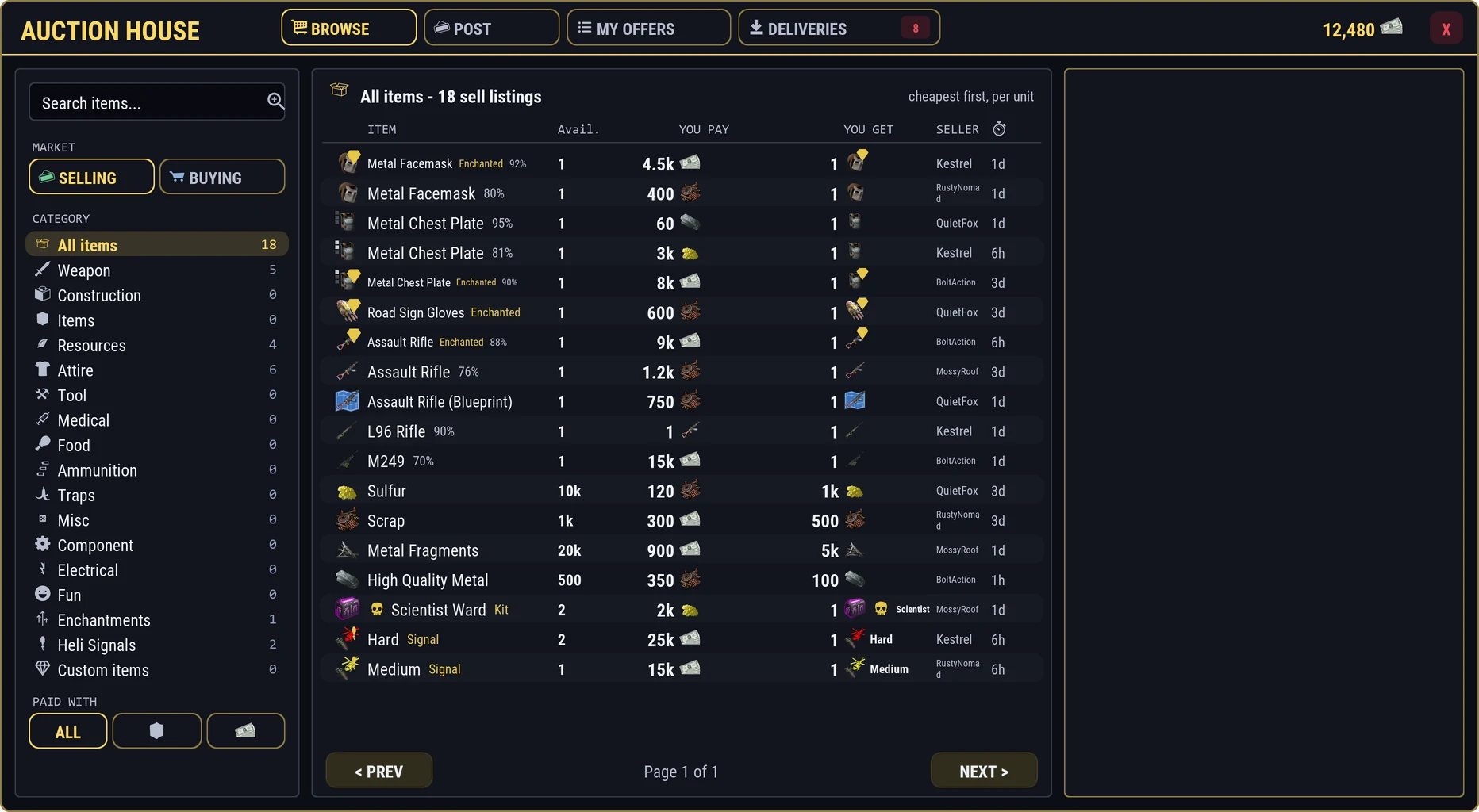
- Search by name
- MARKET: things for sale, or buy offers
- CATEGORY, with a count for each
- PAID WITH: items or RP
The whole window, so you know where everything sits:
Selling side: every row is something you can buy right now. -
Narrow it down
Three tools on the left work together:
- Search items...: type part of a name and press Enter.
- CATEGORY: Weapon, Construction, Resources, Attire, and the rest, each with a count. Enchantments, Heli Signals, and Custom items hold the server's special items.
- PAID WITH: show only offers priced in items, or only in RP.
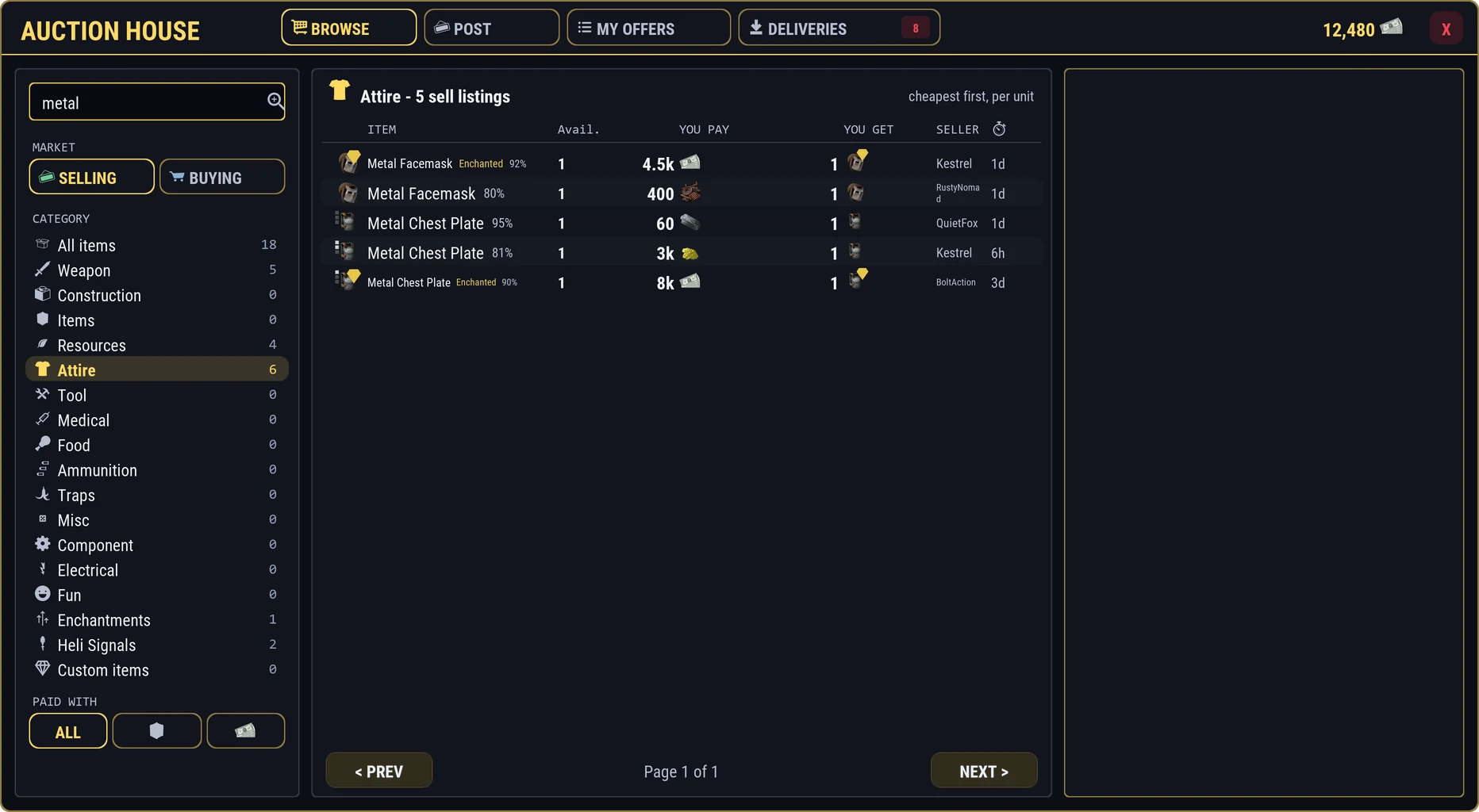
A search runs inside the category you picked. -
Read a row
Each row tells you the whole deal at a glance:
- YOU PAY: the price for one lot
- YOU GET: how many you receive for it
- Who is selling, and the time left
- The item picture, with a tag such as Kit, Enchanted, Signal, or a skin badge. Blueprints are drawn as blueprints, and small squares show armor slots.
- Its condition, and how many are left.
- The price, read as YOU PAY = YOU GET. On the buying side it flips to YOU GET = YOU PAY.
- Who posted it, and the time left. Some run until the wipe.
Rows are already sorted for you: for each item, the cheapest price per unit comes first on the selling side, and the best offer first on the buying side.
-
The buying side
Flip MARKET to BUYING to see what players want. A buy offer shows the lowest condition it accepts, any enchantments it asks for, and how many armor slots the piece must have.
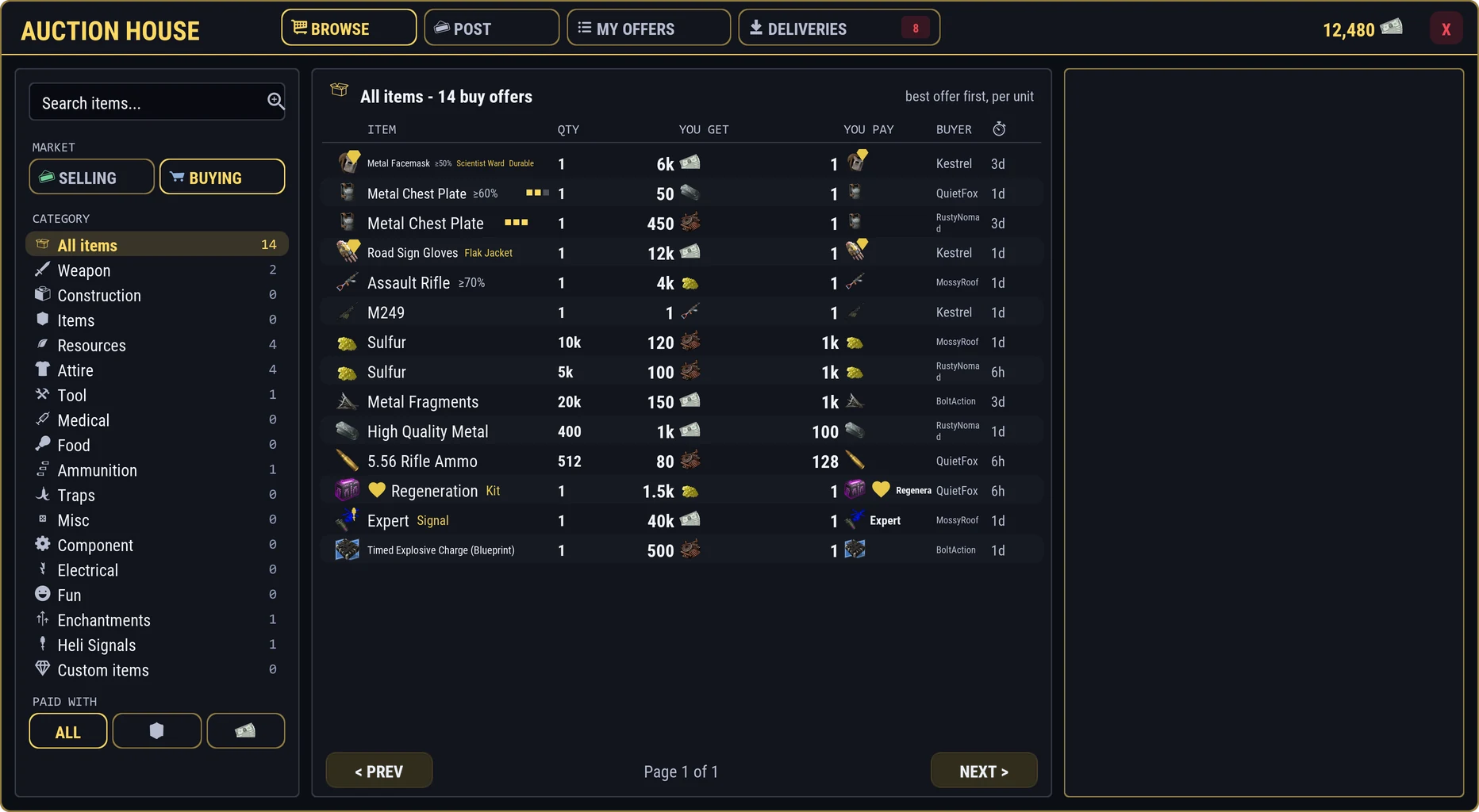
Buying side: if you hold one of these, you can sell it straight in. -
Open the detail panel
Click a row. The panel on the right shows the item large, its condition bar, and COMES WITH: enchantments with their values, attachments, and loaded ammo. For a sell offer it also shows how many are available, the seller, when it ends, and what the last one sold for. Below that you get other offers for the same item at other prices.
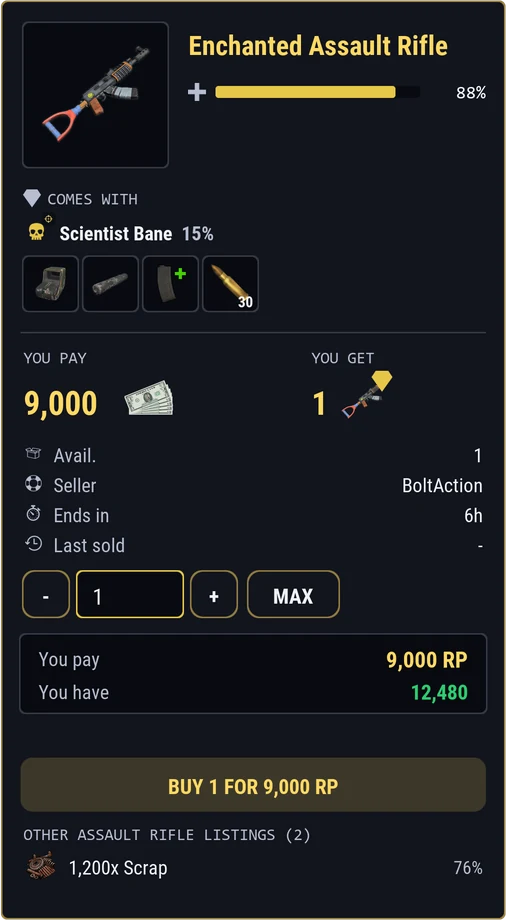
Everything about the item before you spend a thing. 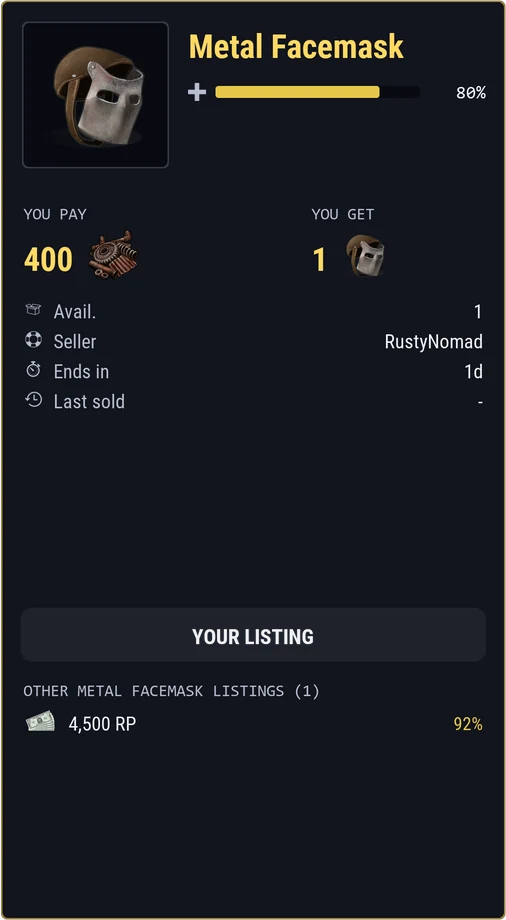
Your own offers show YOUR LISTING in place of the button.