
Auction House guide 05
Deliveries and My Offers
Everything you bought, earned, or got back waits for you to claim, and MY OFFERS keeps track of what you have up.
-
See what is waiting
DELIVERIES lists purchases, payments, and returns, newest first. The red count on the tab shows how many. When you log in you are told how many are waiting. SHOW filters the list: Bought, Proceeds, Refund, Expired and Canceled.
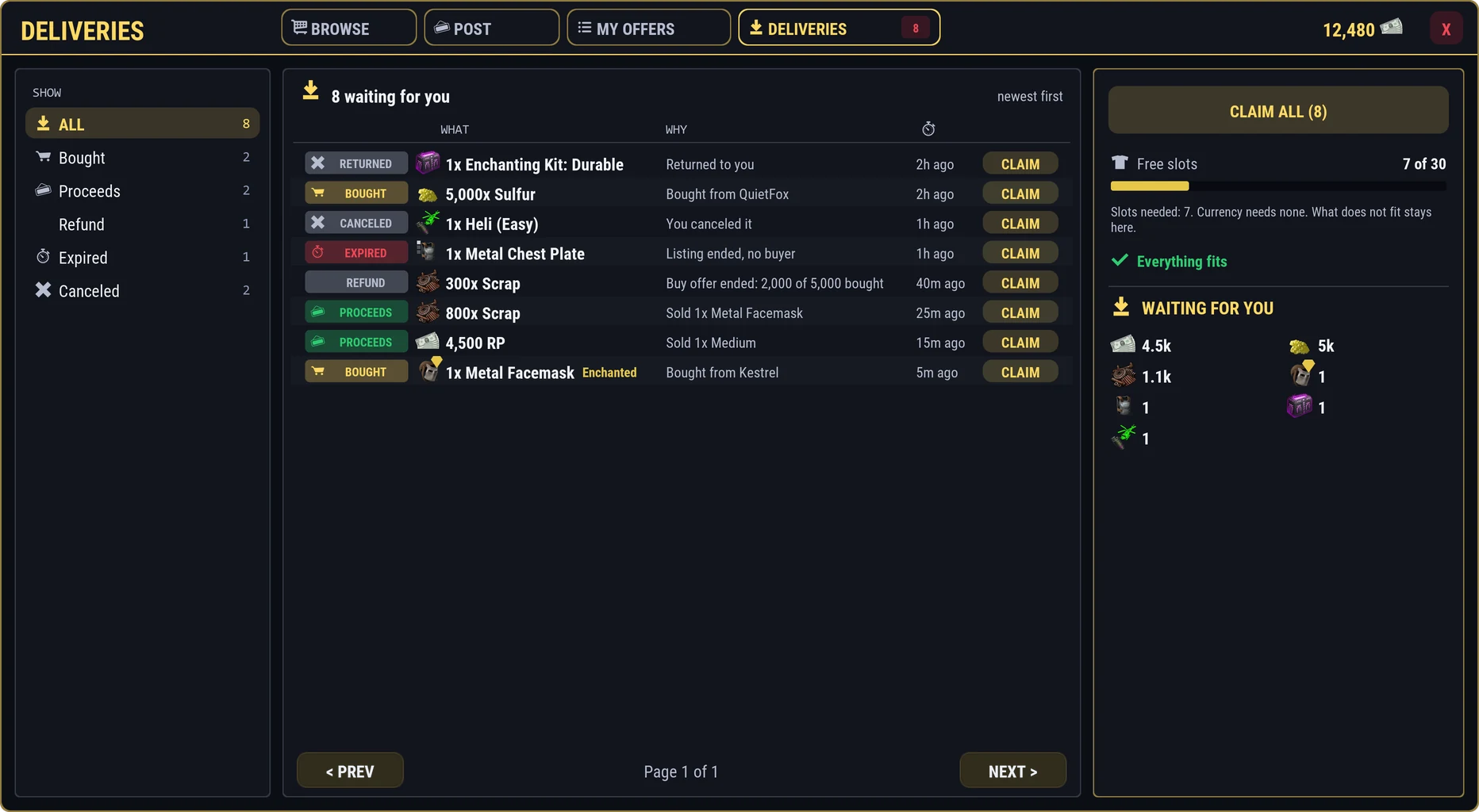
- Why it is here: bought, proceeds, refund, expired, canceled, or returned
- The story behind it
- CLAIM one
- SHOW: filter by kind
- CLAIM ALL
- Your free slots, and whether it all fits
- Everything waiting, added up
-
Claim it
Press CLAIM on a row, or CLAIM ALL. The right side shows your free slots and whether everything fits.
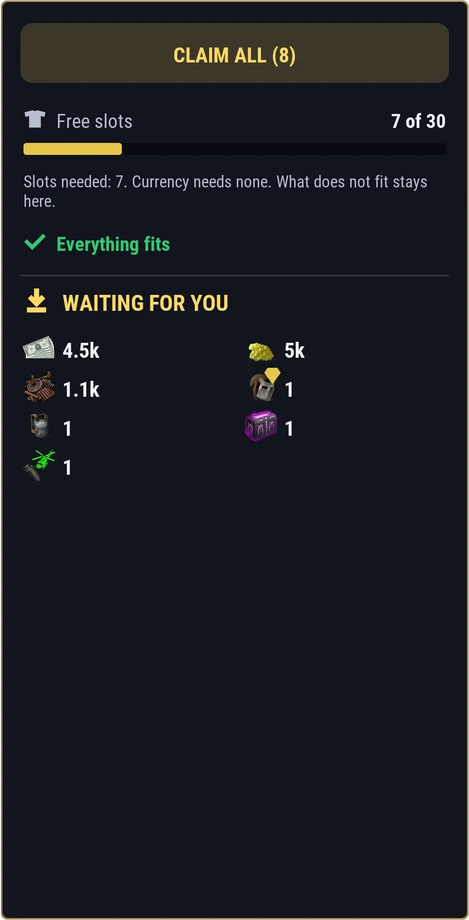
A claim gives you what fits and keeps the rest here. Nothing is lost, and deliveries do not run out on their own. Claim them before the wipe.
-
Where money goes
When you sell for RP, it goes straight to your balance, even while you are offline. Items always wait here for you to claim.
-
Your offers in MY OFFERS
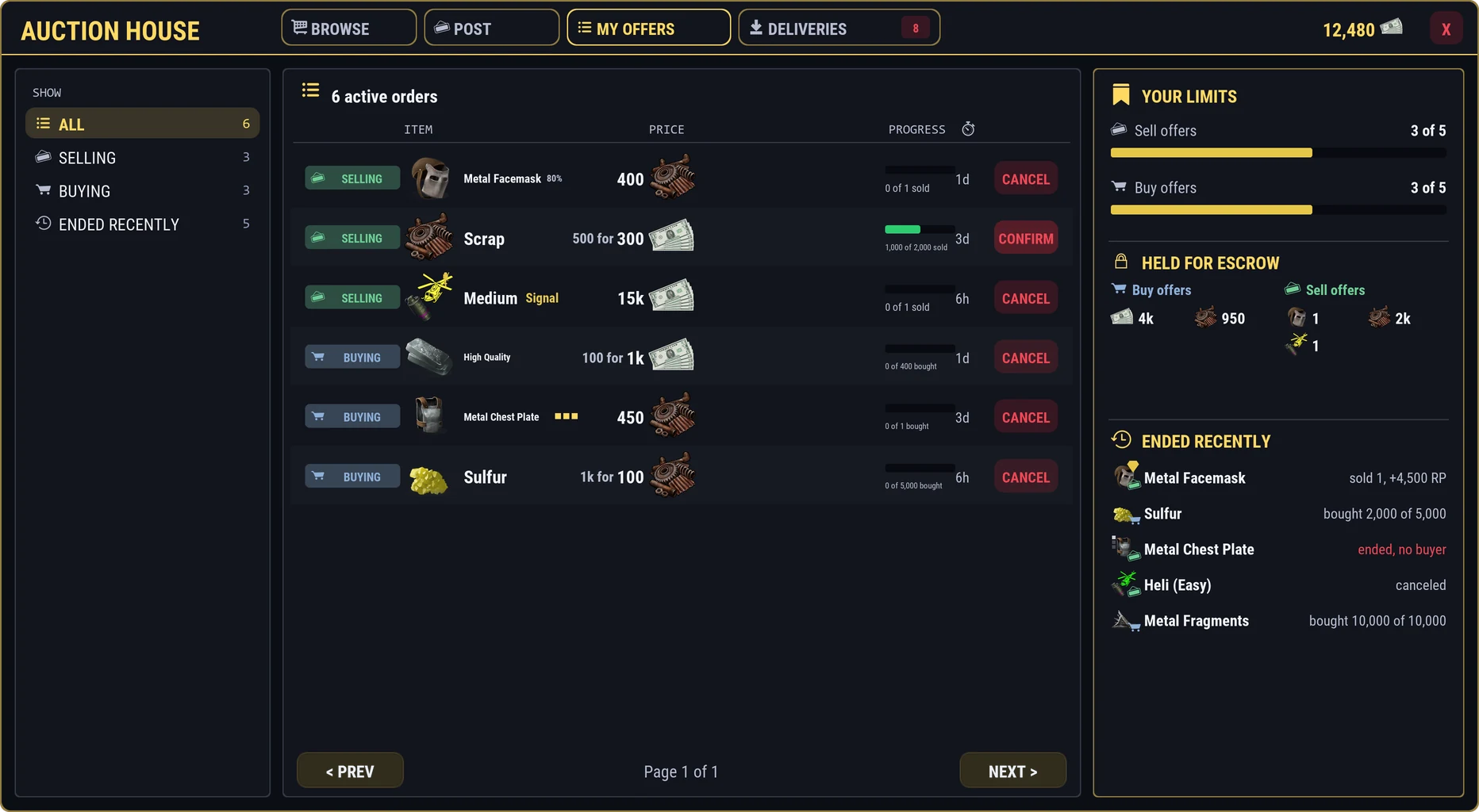
MY OFFERS lists your sell and buy offers with how far along each one is, such as 1,000 of 2,000 sold, and the time left.
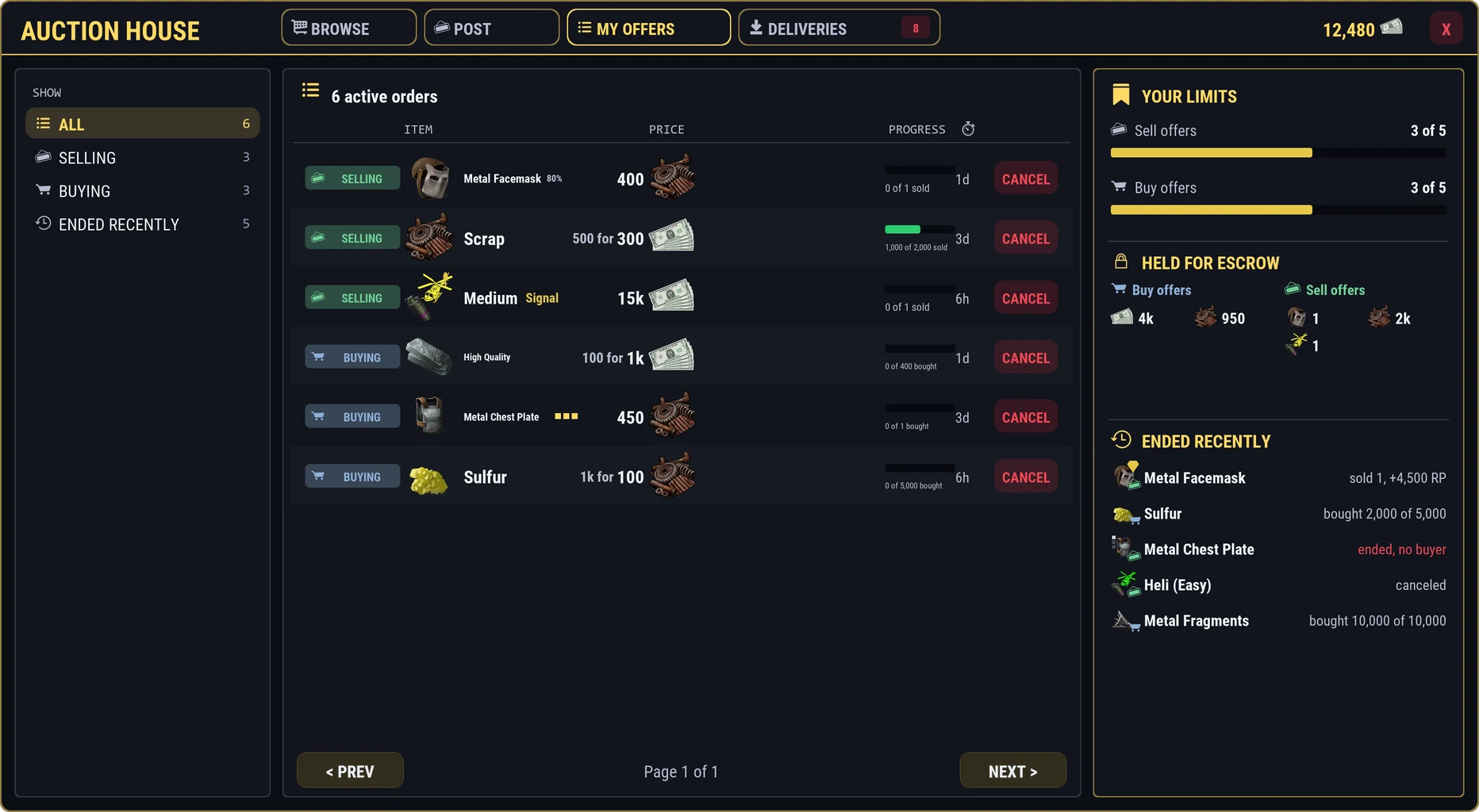
- Selling or buying
- The item and its price
- How far along it is, and the time left
- CANCEL
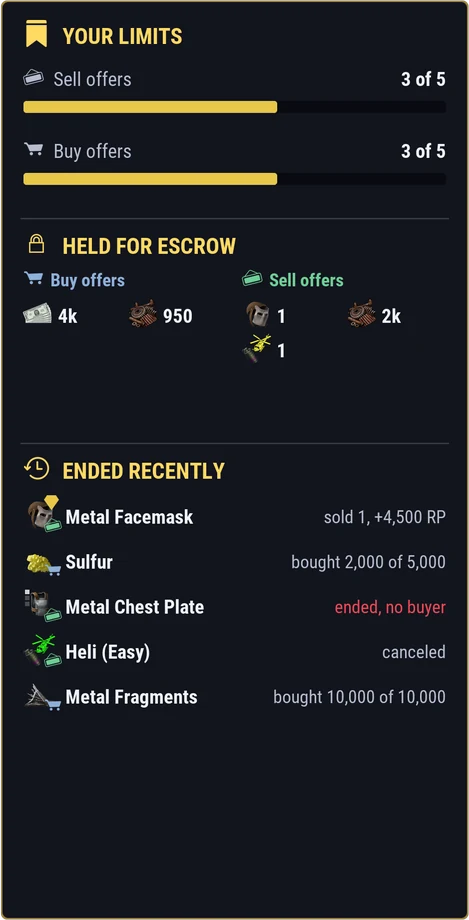
Your limits, what your offers are holding, and your last few ended orders. -
Cancel an offer
Press CANCEL, then CONFIRM. Any other click puts it back. Whatever is left comes back to you: items to DELIVERIES, RP straight to your balance.
-
When an offer ends
When a sell offer runs out of time, what did not sell comes back to Deliveries. When a buy offer ends, the unspent payment comes back. If you are online, you are told in chat.
Your offers keep selling and filling while you are offline.