
Economy
Sell Offer
List items for sale at a price per unit you set. Other players can buy from you at that price. Your items are taken from your inventory when you list.
Creating a sell offer costs a 10% listing tax in RP (of the listed value), paid up front. The tax is not refunded if you remove the listing later, so price thoughtfully.
Creating A Sell Offer
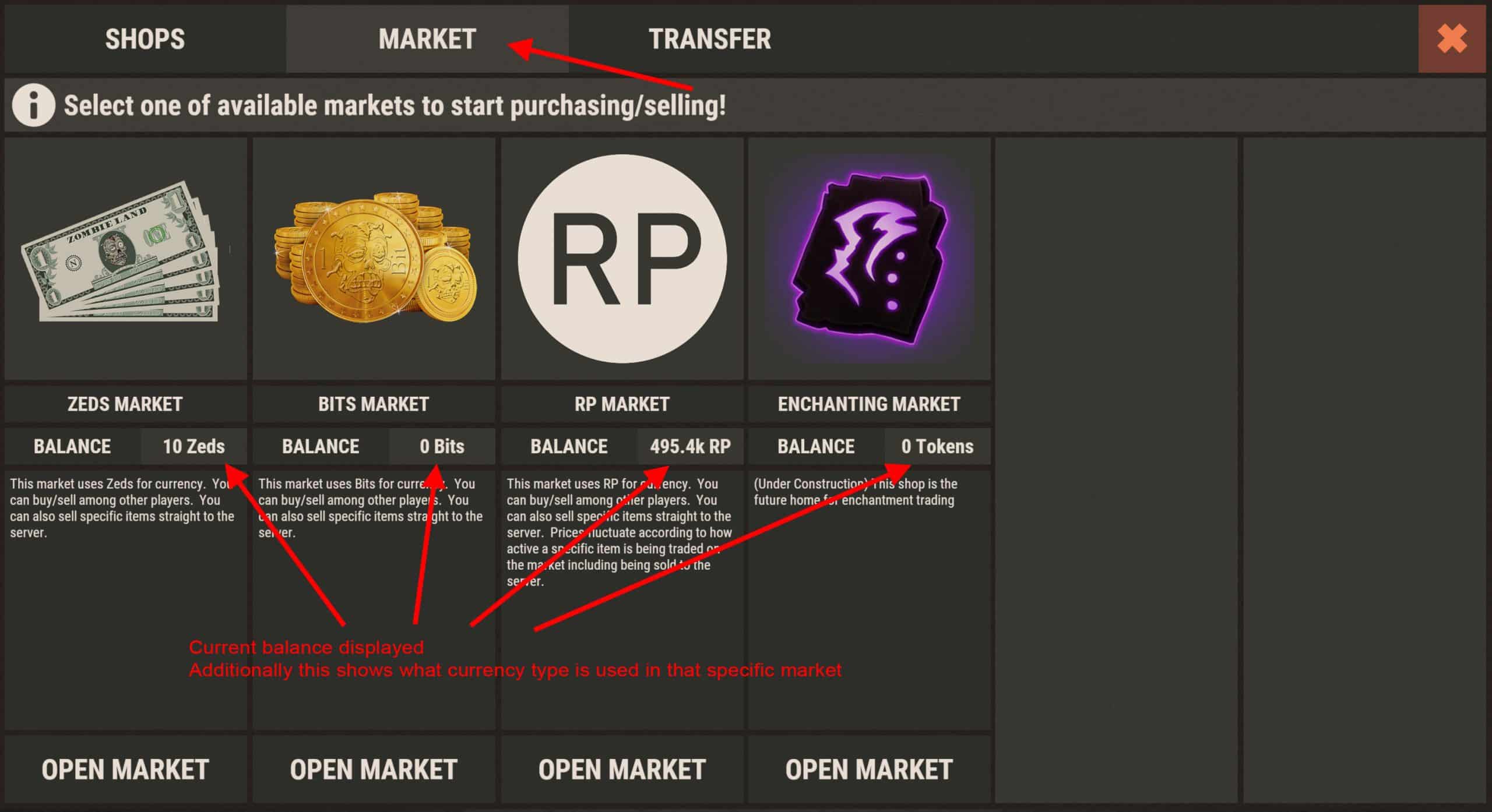
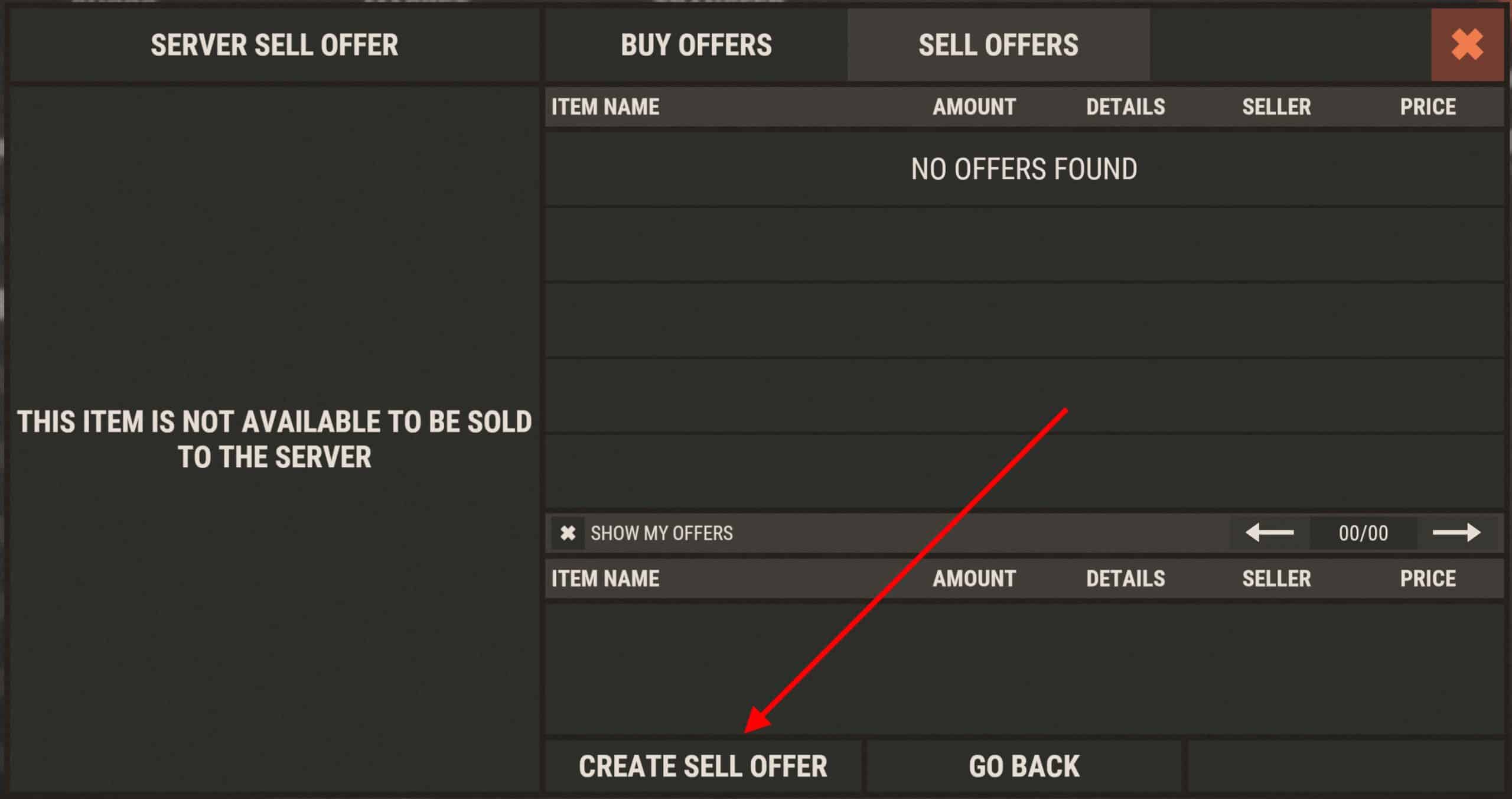
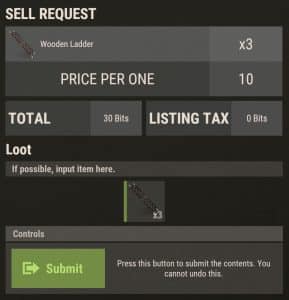
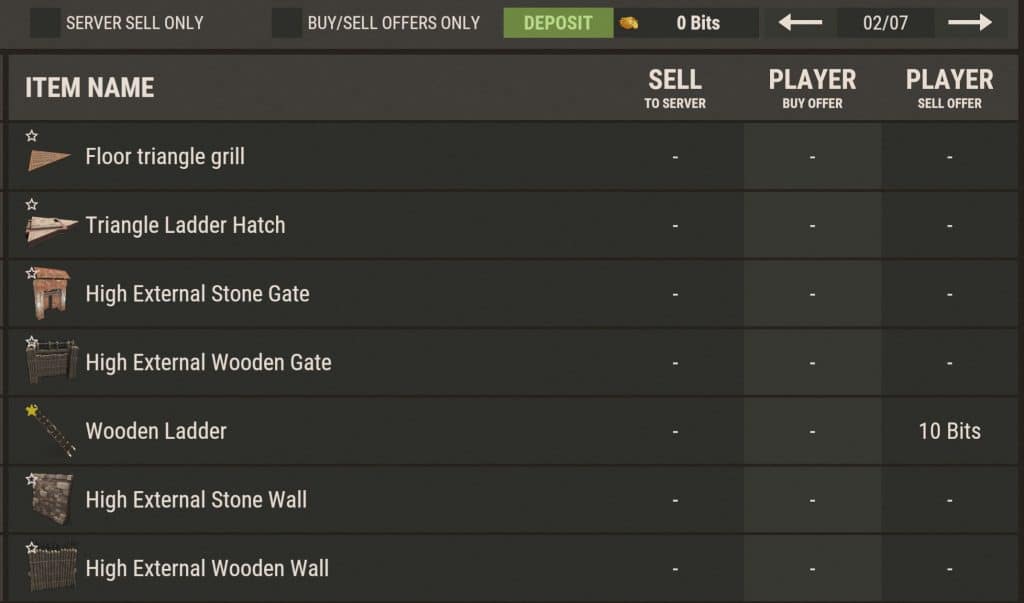
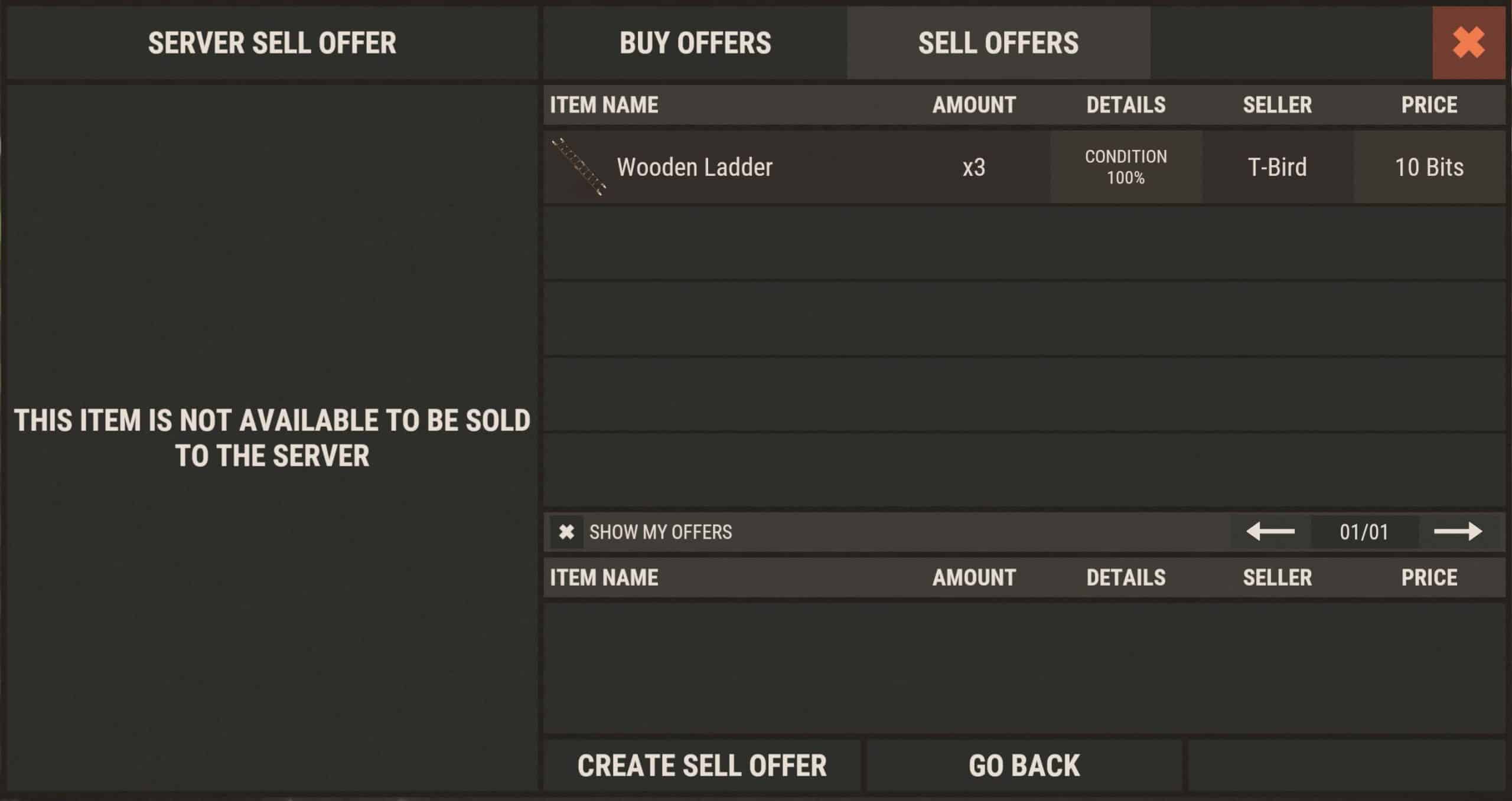
Open /s and go to the Market tab. Select the market (for example RP), then click the green Create Sell Offer button. Choose the item, set the price per unit and quantity, then confirm. Example below: selling Ladders.
Buyers pay your listed price; there is no extra fulfillment fee on top.
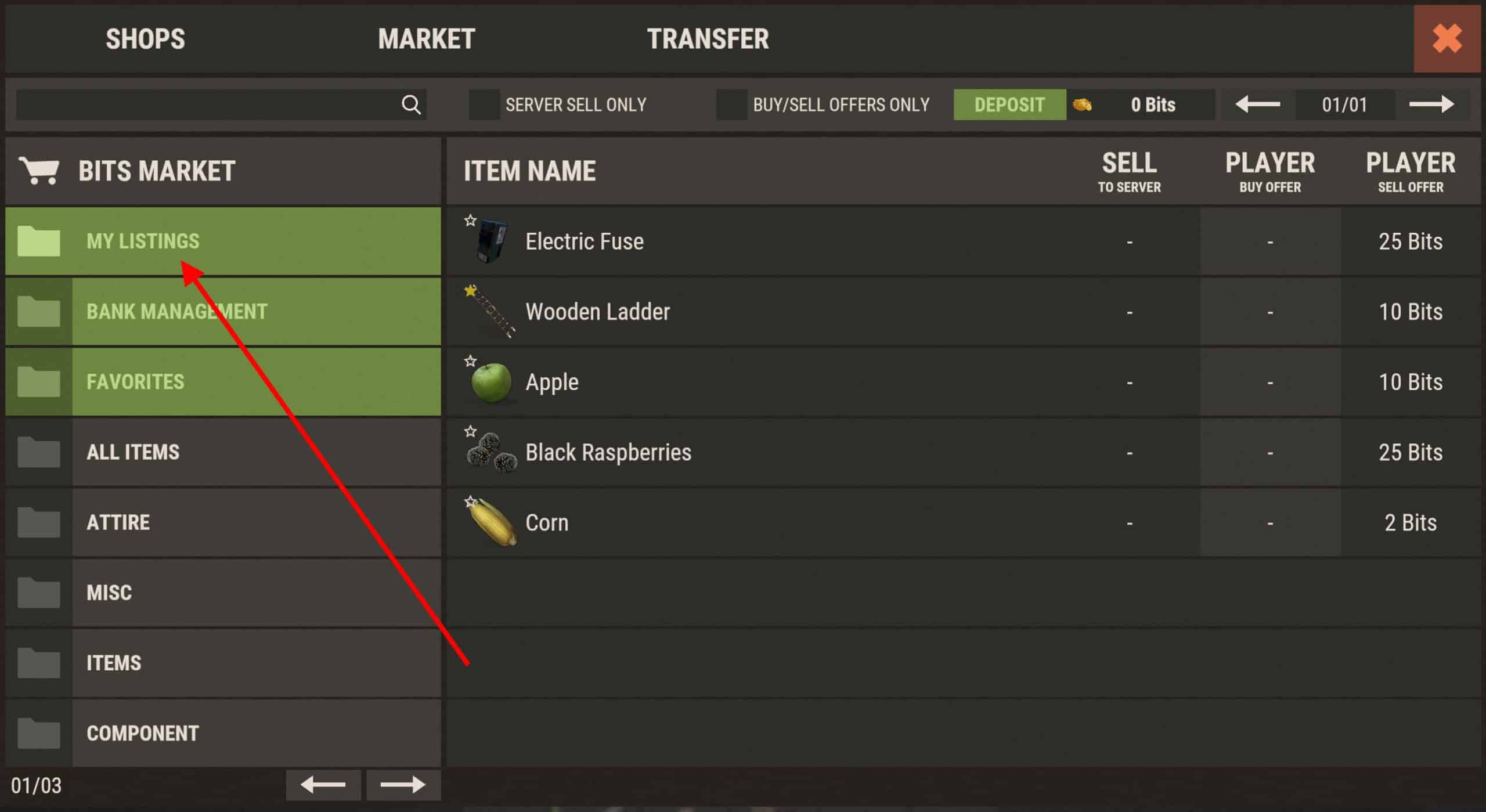
My Listings
View and manage your sell offers under My Listings in the market.
Removing A Sell Offer
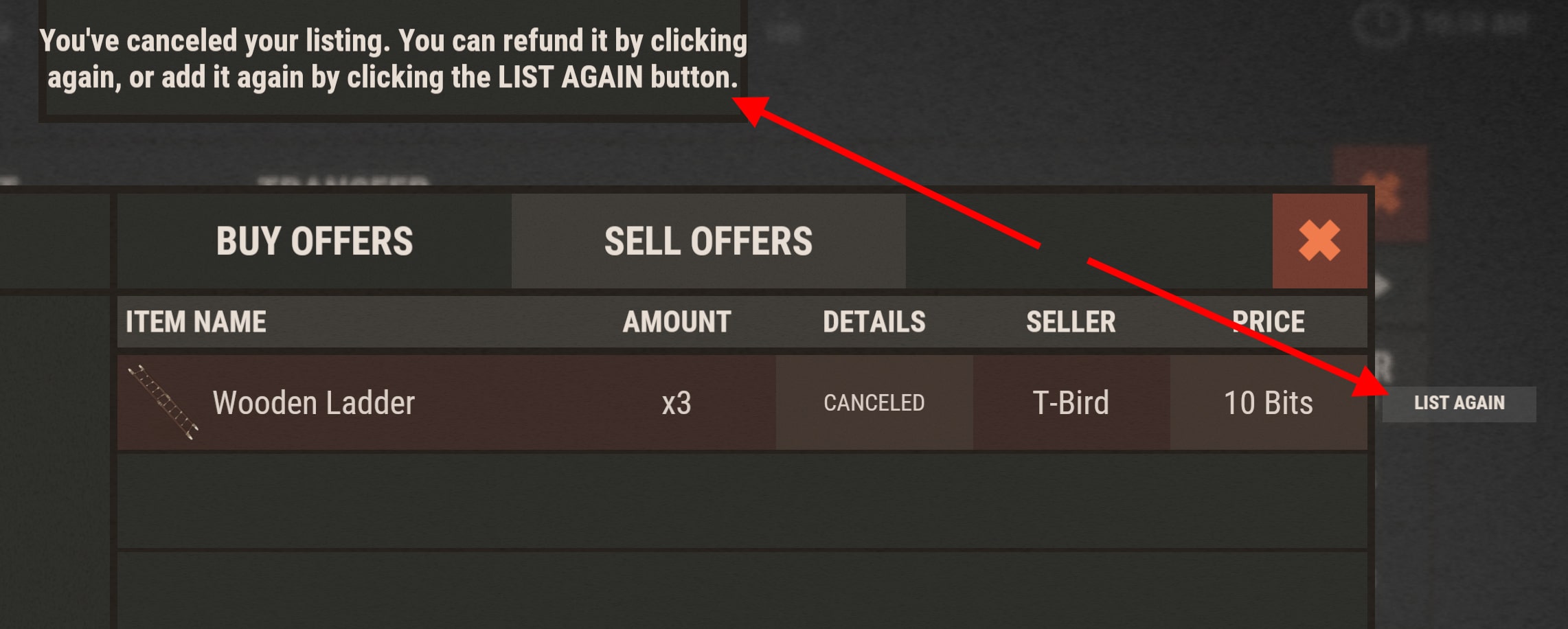
Open your listing and click Remove Listing. Unsold items are returned to your inventory. The listing tax is not refunded.

Your rank controls how many active listings you can hold. Questions? Ask in Discord.