
Economy
Markets
Open /s and click the Market tab. The RP market is where you buy and sell with other players, and where you can sell items to the server for RP. For the vendor shops side, see Shops.
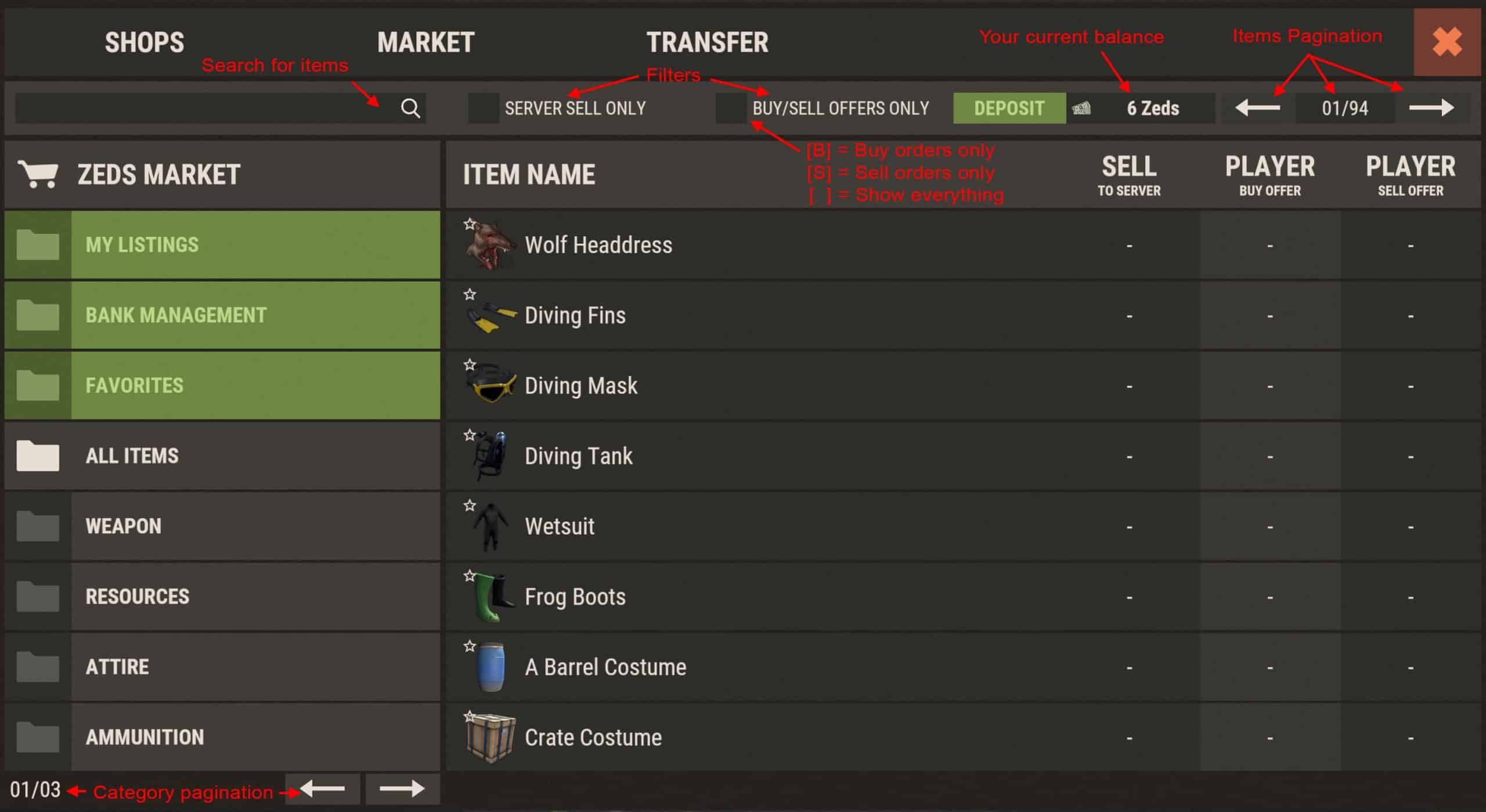
Finding Your Way Around
Categories you will not see in shops include My Listings (your current buy or sell orders) and Favorites (star items in the top-left of thumbnails). A sort dropdown can order the grid by name, server sell price, buy offers, or sell offers. Checkboxes let you Hide Empty Listings or Hide My Offers while browsing.
Market Actions
Item Details
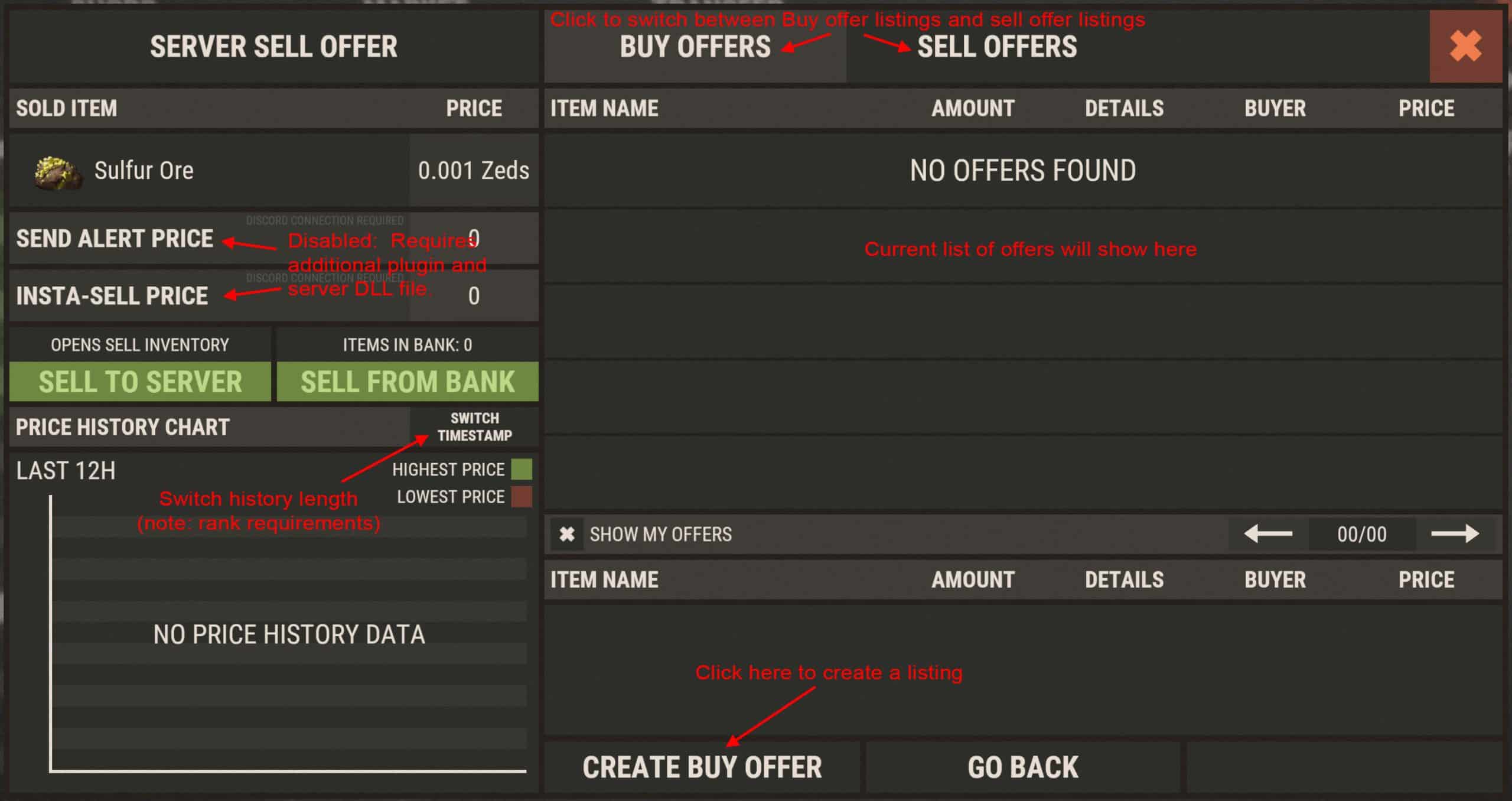
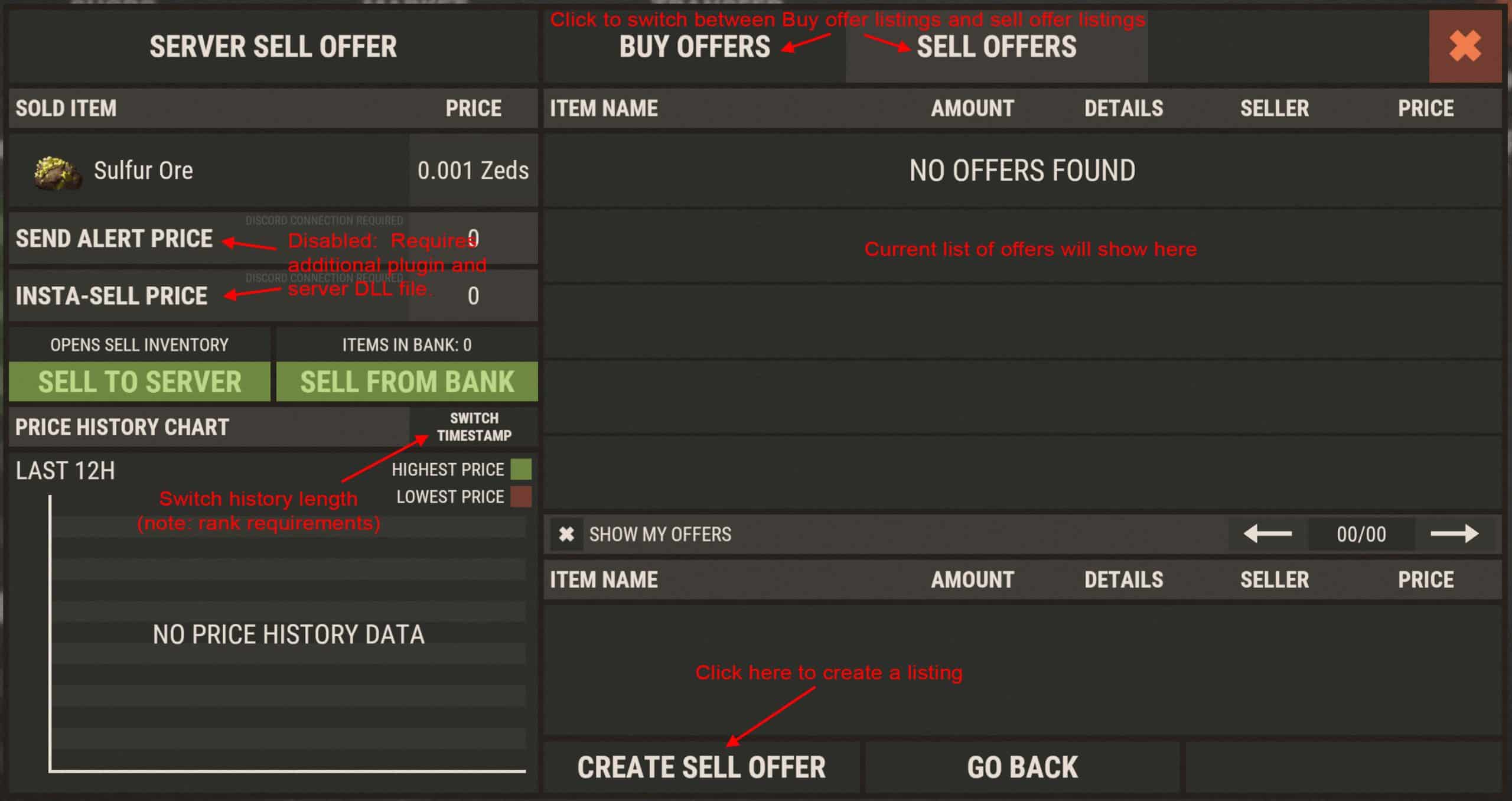
Clicking any item opens a details window. Options depend on the item. Server Sell Offer shows the current price you can sell that item to the server for; prices are dynamic (supply and demand) with min/max limits. Sell to Server opens the sell window, also available via /sell. Use /list to jump straight into posting a new sell offer.
Questions? Ask in Discord.