Markets
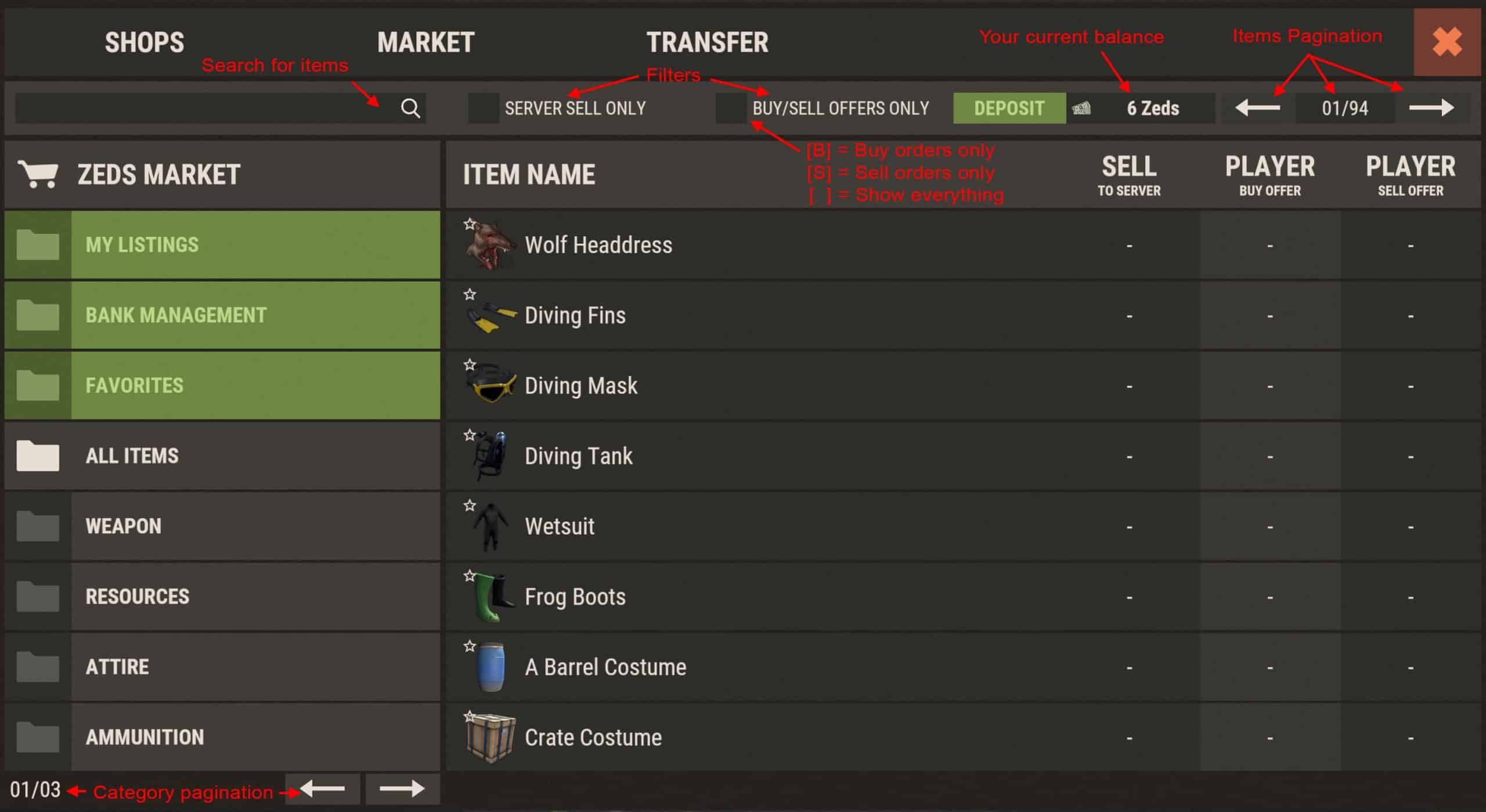
The Market is far more complex than Shops. All players have access by typing /s and clicking the Market tab at the top. The Zeds market is a hub for buying and selling items to players, and for selling items to the server for Zeds.

When you open a market you will see categories not present in shops: My Listings (current buy or sell orders) and Favorites (star items in the top-left of thumbnails). There is also a Buy/Sell Offers Only filter. The Server Sell filter shows only items that can be sold to the server (equivalent to selling resources to /s for Zeds).
Market Actions
Item Details
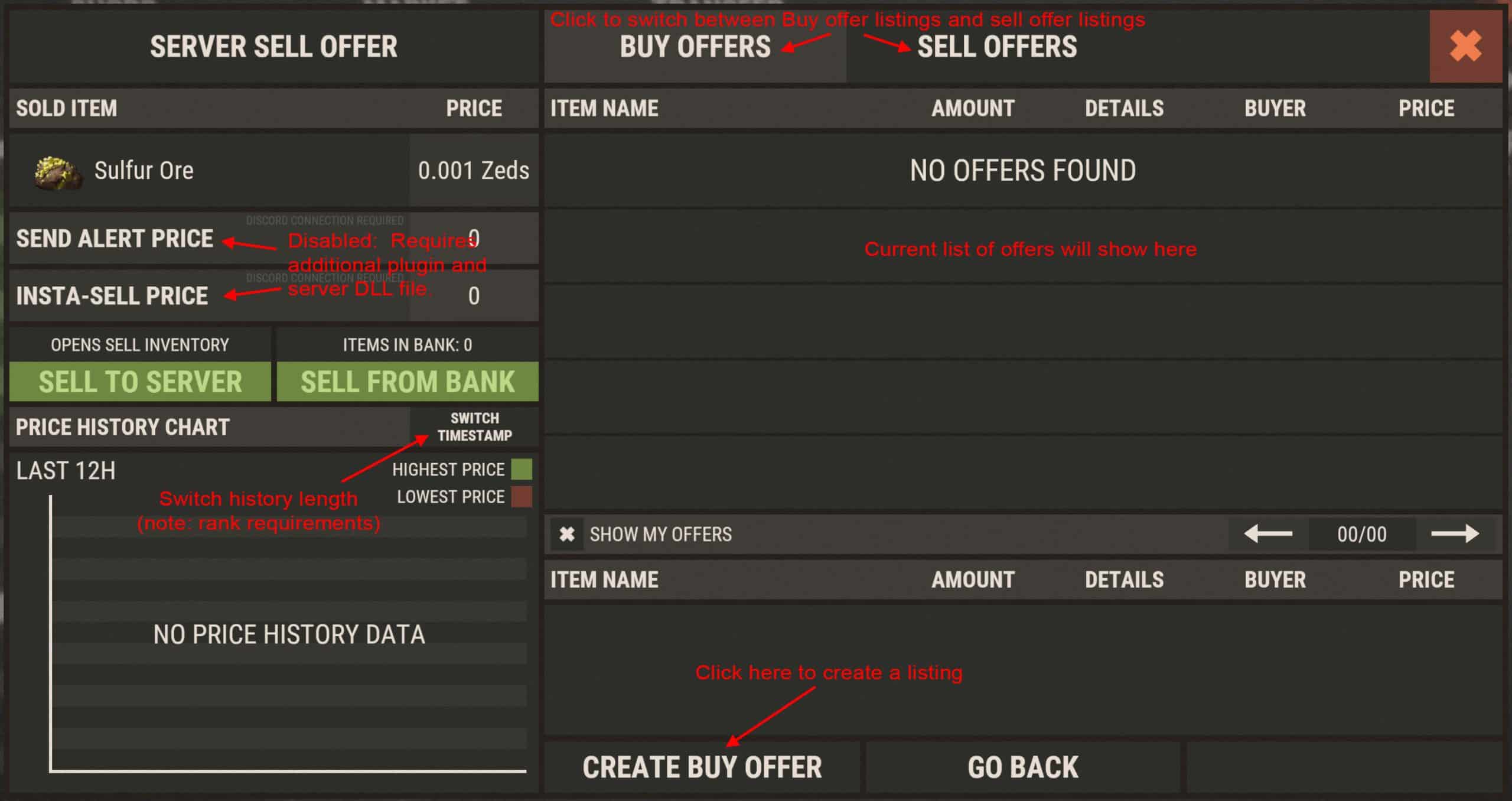
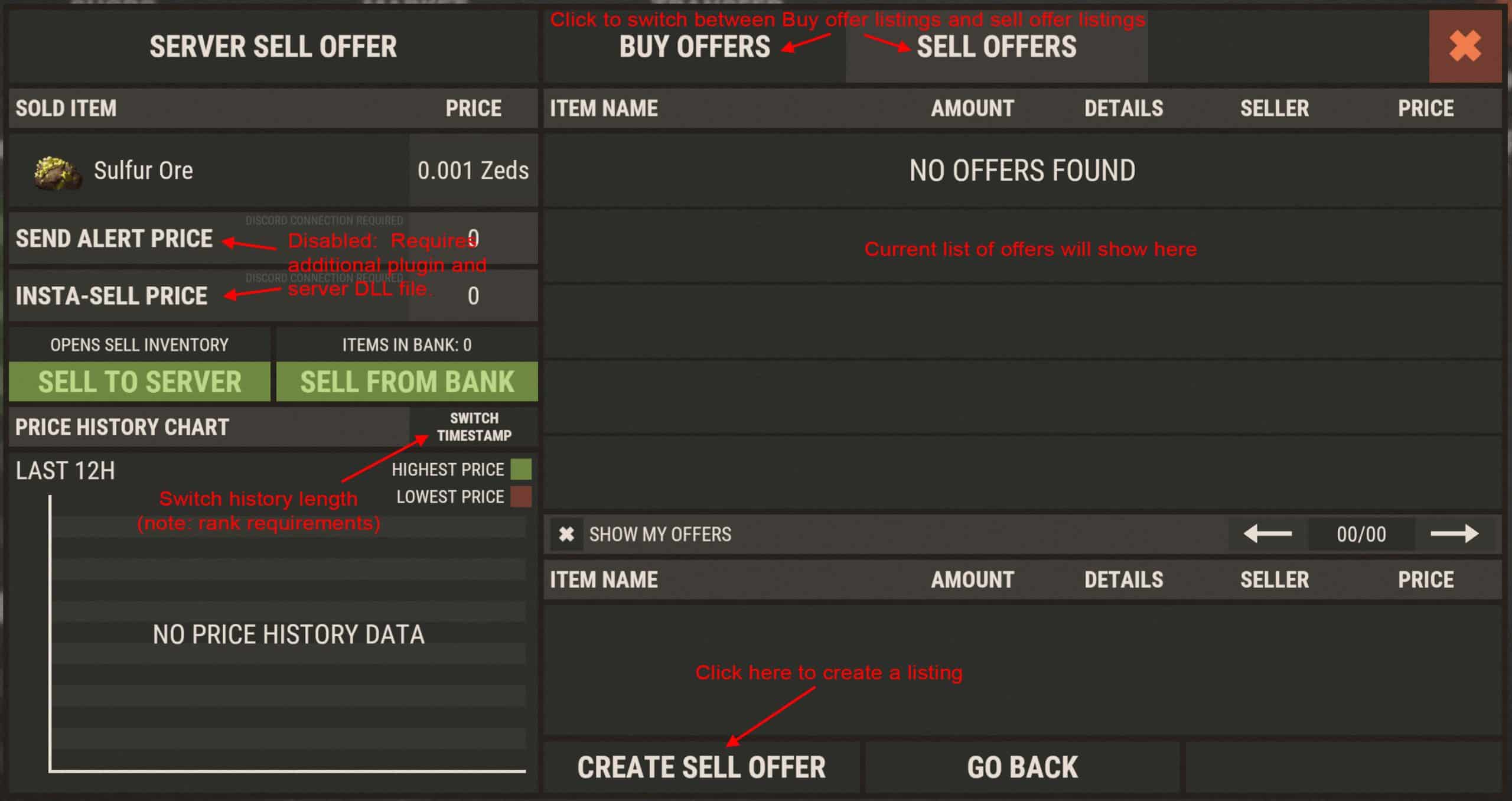
Clicking any item opens a details window. Options depend on the item. Server Sell Offer shows the current price you can sell the item to the server for; prices are dynamic (supply and demand) with min/max limits. Sell to Server opens the sell window (also available via /sell for on-the-fly resource selling). Sell from Bank sells items you put into the market bank via the Bank Management category.